

This repository contains shared/reusable CI configurations for GitHub Actions to serve the repositories of the Alfresco org but virtually usable by everyone.
For security-related topics of GitHub Actions, see the Security section.
For terraform-related topics of GitHub Actions, see the Terraform section.
For pre-commit hooks documentation, see the Pre-commit Hooks section.
For AI agent skills documentation, see the Skills section.
Here follows the list of GitHub Actions topics available in the current document:
- GitHub Actions
- GitHub Actions provided by community
- GitHub Actions provided by us
- automate-propagation
- awf-run-command
- calculate-next-internal-version
- check-pr-description
- configure-git-author
- dependabot-workflow-run-automation
- dependabot-missing-actions-check
- dbp-charts
- dispatch-resume-workflow
- docker-dump-containers-logs
- docker-scan-image-dirs
- enforce-pr-conventions
- env-load-from-yaml
- flux-operator-bootstrap
- free-hosted-runner-disk-space
- get-branch-name-v2
- get-build-info
- gh-cache-cleanup-on-merge
- git-check-existing-tag
- get-commit-message
- git-commit-changes
- git-latest-tag
- github-check-upcoming-runs
- github-deployment-create
- github-deployment-status-update
- github-deployments-delete
- github-download-file
- github-https-auth
- github-list-changes
- github-pr-check-metadata
- github-require-secrets
- github-trigger-approved-pr
- github-trigger-labeled-pr
- github-upsert-comment
- helm-build-chart
- helm-integration-tests
- helm-package-chart
- helm-parse-next-release
- helm-publish-chart
- helm-release-and-publish
- helm-template-yamllint
- helm-plugin
- helm-update-chart-version
- http-latency
- import-gpg-key
- install-galaxy-deps
- install-ubuntu-default-tools
- jira-get-or-create-release
- jira-set-fix-version
- jira-propagate-release
- jx-updatebot-pr
- kubectl-keep-nslogs
- kubectl-wait
- load-release-descriptor
- maven-configure
- maven-dependency-scan
- maven-build
- maven-build-and-tag
- maven-compute-release-versions
- maven-deploy-file
- maven-release
- maven-release-slim
- maven-tag
- maven-update-pom-version
- md-toc
- nexus-move-artifacts
- pre-commit
- process-coverage-report
- pipenv
- rancher
- release-notes-aggregator
- reportportal-prepare
- reportportal-summarize
- resolve-preview-name
- s3-upload
- send-teams-notification
- setup-checkov
- setup-docker
- setup-fluxcli
- setup-github-release-binary
- setup-helm-docs
- setup-java-build
- setup-jx-release-version
- setup-kcadm
- setup-kind
- setup-kubepug
- setup-maven
- setup-pysemver
- setup-rancher-cli
- setup-terraform-docs
- setup-updatebot
- setup-updatecli
- sonar-scan-on-built-project
- sonar-scanner
- update-deployment-runtime-versions
- update-pom-to-next-pre-release
- update-project-base-tag
- validate-maven-versions
- veracode
- xvfb-record
- Reusable workflows provided by us
- GitHub Agentic Workflows provided by us
- Cookbook
- Known issues
GitHub Actions
Java setup
Setup JDK
actions/setup-java should be used, here is a sample usage:
      - name: Set up JDK 11
        uses: actions/setup-java@v3
        with:
          java-version: '11'
          distribution: 'temurin'
          cache: 'maven'
Setup Maven Credentials
Credentials should be already available via organization secrets, otherwise they would need to be provided as repository secrets.
Since repositories hold a settings.xml file at the root with environment variables MAVEN_USERNAME and MAVEN_PASSWORD filled for the username and password, only a mapping of variables is needed:
      - name: Build with Maven
        run: mvn --settings settings.xml [...]
        env:
          MAVEN_USERNAME: ${{ secrets.NEXUS_USERNAME }}
          MAVEN_PASSWORD: ${{ secrets.NEXUS_PASSWORD }}
Alternatively, the s4u/maven-settings-action could be used.
Setup Maven Build Options
Maven build options can be shared for a given step on the mvn command line, or extracted as environment variables.
Sample usage:
      - name: Test with Maven
        run: mvn verify ${{ env.MAVEN_CLI_OPTS }}
        env:
          MAVEN_CLI_OPTS: --show-version -Ddocker.skip -Dlogging.root.level=off -Dspring.main.banner-mode=off
When deploying in a second step, these variables can be shared:
env:
  MAVEN_CLI_OPTS: --show-version -Dlogging.root.level=off -Dspring.main.banner-mode=off

[...]

      - name: Test with Maven
        run: mvn verify ${{ env.MAVEN_CLI_OPTS }}
      - name: Deploy with Maven
        run: mvn deploy ${{ env.MAVEN_CLI_OPTS }} -DskipTests
Here is a sample way to extract a branch name that would be used for docker images built with the build-and-push-docker-images.sh script, although using the dedicated action can also be useful.
      - name: Set stripped branch name as tag
        run: echo "STRIPPED_TAG=$(echo ${{ github.ref_name }} | sed -e 's/[^-_.[:alnum:]]/_/g')" >> $GITHUB_ENV
      - name: Docker Build and Push
        run: sh ./build-and-push-docker-images.sh
        env:
          TAG: ${{ env.STRIPPED_TAG }}
GitHub Actions provided by community
Comment a PR
To improve developer experience and make build results like reports or test results more accessible, link/post them as a comment on the PR. Any subsequent re-run will update the comment to keep the information current and avoid clutter.
    - name: Find Comment
      uses: peter-evans/find-comment@3eae4d37986fb5a8592848f6a574fdf654e61f9e # v3.1.0
      id: fc
      with:
        issue-number: ${{ github.event.pull_request.number }}
        comment-author: 'github-actions[bot]'
        body-includes: Build output

    - name: Create or update comment
      uses: peter-evans/create-or-update-comment@71345be0265236311c031f5c7866368bd1eff043 # v4.0.0
      with:
        comment-id: ${{ steps.fc.outputs.comment-id }}
        issue-number: ${{ github.event.pull_request.number }}
        body: |
          Build output
          ${{ steps.build.outputs.build-log }}
        edit-mode: replace
Upstream documentation at peter-evans/create-or-update-comment.
Docker build and push
Consider using this official Docker action for building and pushing containers instead of doing it by hand, for buildx support, caching and more.
Docker login
Credentials should be already available via organization secrets, otherwise they would need to be provided as repository secrets.
      - name: Login to Docker Hub
        uses: docker/login-action@v2
        with:
          username: ${{ secrets.DOCKER_USERNAME }}
          password: ${{ secrets.DOCKER_PASSWORD }}

      - name: Login to Quay.io
        uses: docker/login-action@v2
        with:
          registry: quay.io
          username: ${{ secrets.QUAY_USERNAME }}
          password: ${{ secrets.QUAY_PASSWORD }}
EC2 GitHub runner
machulav/ec2-github-runner can be used to start EC2 self-hosted runners. An on-demand EC2 runner can be created, set-up, used to run a required process and finally destroyed - on the fly.
Generate Dependabot Glob Action
generate-dependabot-glob-action creates a dependabot.yml file from a user-provided template by replacing instances of directory globs with an array of objects matching that glob, with all the other keys copied. For example, the following template:
  - package-ecosystem: 'docker'
    directory: '/test/docker/*/Dockerfile*'
    schedule:
      interval: 'daily'
Will result in:
  - package-ecosystem: 'docker'
    directory: '/test/docker/container_1/'
    schedule:
      interval: 'daily'
  - package-ecosystem: 'docker'
    directory: '/test/docker/container_2/'
    schedule:
      interval: 'daily'
  - package-ecosystem: 'docker'
    directory: '/test/docker/weird_dockerfile/'
    schedule:
      interval: 'daily'
Git commit and push
iarekylew00t/verified-bot-commit is used to automatically commit and push changed files back to GitHub. It is used internally by the pre-commit, md-toc and reusable-release actions for their auto-commit features.
It replaces the previously used stefanzweifel/git-auto-commit-action. Because verified-bot-commit creates commits through the GitHub API, those commits are automatically verified/signed at no extra cost (no GPG/SSH key management required). This lets the consuming repositories enable repository rulesets that require signed commits while still allowing these automated commits.
pmd
Yet Another PMD Scan is a GitHub Action primarily for Alfresco repositories. It is a bit more involved than most of the actions in this repository and so has been split out into a repository of its own.
The action runs the PMD static analysis tool to look for common programming flaws in files modified by PRs.
Retry failing step
This action retries an Action step on failure or timeout. Useful for unstable commands or that relies on remote resources that can be flaky sometimes.
SSH debug
GitHub doesn’t provide any native support for SSH debug access to builds.
To debug a build is necessary to add when needed a step like the following in the workflow:
    - name: Setup tmate session
      uses: mxschmitt/action-tmate@v3
      with:
        # provide access to SSH user that triggered the build
        limit-access-to-actor: true
You can also run the step on-demand with a manually triggered build by adding the workflow_dispatch event together with a boolean input:
on:
  workflow_dispatch:
    inputs:
      debug_enabled:
        description: Enable SSH debug
        type: boolean
        required: false
        default: false
and then invoke the action step conditionally based on this event and input value:
    steps:
    - uses: actions/checkout@v3
    - name: Setup tmate session
      # run only when explicitly requested
      if: ${{ github.event_name == 'workflow_dispatch' && inputs.debug_enabled }}
      uses: mxschmitt/action-tmate@v3
      with:
        # provide access to SSH user that triggered the build
        limit-access-to-actor: true
      # automatically terminate after a given timeout
      timeout-minutes: 30
When executing that step, the job will block. If you want to continue with the following steps, just create a file named continue in the current workspace folder:
touch continue
Please be aware that when the last command of the job finish, also the tmate session will be terminated automatically, so you may want to add at the end of the workflow a step like:
    # wait for 5 minutes before exiting
    - run: sleep 300
Triggering a workflow in another repository
actions/github-script can be used, here is a sample:
      - name: Trigger Downstream Builds
        if: steps.is_default_branch.outputs.result == 'true'
        uses: actions/github-script@v5
        with:
          github-token: ${{ secrets.BOT_GITHUB_TOKEN }}
          script: |
            await github.rest.actions.createWorkflowDispatch({
              owner: 'Alfresco',
              repo: 'alfresco-process-connector-services',
              workflow_id: 'build.yml',
              ref: 'develop'
            });
Note that this requires using a dedicated token.
Also, the triggered workflow should allow workflow dispatch in its definition (and this configuration should be setup on the default branch):
on:
  # allows triggering workflow manually or from other jobs
  workflow_dispatch:
Retry an action
To retry a GitHub action step or command on failure, here is an example -
      - uses: Wandalen/wretry.action@e68c23e6309f2871ca8ae4763e7629b9c258e1ea # v3.8.0
        with:
          action: actions/setup-node@eeb10ffd4b07fb40a4f44ab76f0f5c0d5b35e4f9 # v2.3.0
          with: |
            node-version: 14.x
            architecture: x64
          attempt_limit: 3
          attempt_delay: 2000
Please visit wretry.action for more examples of how to use this action
Actions SHA pinning
To ensure the security and integrity of your GitHub Actions workflows, it’s recommended to pin third-party actions to a specific commit SHA. This prevents unexpected changes in the action’s code from affecting your workflows, until the upstream project starts using Immutable releases.
See github-actions-ensure-sha-pinned-actions, available via pre-commit as well.
GitHub Actions provided by us
automate-propagation
Handles automated approval and merge of propagation PRs used to handle alpha releases on builds.
This action requires a dedicated secret (named BOT_GITHUB_TOKEN in the sample) to set up the “auto-merge” behavior: the default GITHUB_TOKEN is not used in this case, otherwise a build would not be triggered when the PR is merged, see reference solution.
Another token is also needed to handled approval. It can be the default GITHUB_TOKEN, but it cannot be the same one that is used for auto-merge behavior as the user might match the creator of the PR (and auto-approval of a PR is not allowed).
      - uses: Alfresco/alfresco-build-tools/.github/actions/automate-propagation@v18.28.3
        with:
          auto-merge-token: ${{ secrets.BOT_GITHUB_TOKEN }}
          approval-token: ${{ secrets.GITHUB_TOKEN }}
          pr-author-login: ${{ secrets.GIT_USERNAME }}
pr-author-login is the GitHub username of the service account that opens propagation PRs. Auto-approve and auto-merge run only when the PR author matches this value (or is alfresco-build during the transition).
awf-run-command
Sets up AWF and runs a custom command with restricted outbound domains (comma separated).
      - uses: Alfresco/alfresco-build-tools/.github/actions/awf-run-command@v18.28.3
        with:
          allowed-domains: registry.npmjs.org
          command: npm ci
          agent-timeout: 15 # optional, minutes (default: 15)
The command input supports any shell command string.
calculate-next-internal-version
Calculate next internal version based on existing tags
      - uses: Alfresco/alfresco-build-tools/.github/actions/calculate-next-internal-version@v18.28.3
        with:
          next-version: 1.2.3
check-pr-description
Fails a pull request when its description is missing, too short, or only a ticket/URL reference. HTML comments (PR-template boilerplate), URLs and Jira ticket keys (e.g. AAE-1234) are excluded before measuring, so pasting just the Jira link does not pass. The remaining “meaningful” text must meet both a character and a word floor. Draft PRs, bot authors (*[bot] plus skip-authors) and automated branches (skip-branches, e.g. dependabot/*, renovate/*, updatecli*, image-update*) are skipped. Add it to a consumer repo via a small pull_request workflow.
name: PR Description Check

permissions:
  contents: read

on:
  pull_request:
    types: [opened, edited, reopened, synchronize, ready_for_review]

jobs:
  check-description:
    runs-on: ubuntu-latest
    steps:
      - uses: Alfresco/alfresco-build-tools/.github/actions/check-pr-description@v18.28.3
        with:
          min-chars: "15" # optional, default: 15
          min-words: "3" # optional, default: 3
          skip-authors: "dependabot renovate alfresco-build*" # optional
          skip-branches: "dependabot/* renovate/* updatecli* image-update* flux-*" # optional
The action reads github.event.pull_request.body, so the consumer workflow must be triggered by pull_request events. No repository checkout is required.
Automated PRs are skipped two ways: by author (*[bot] plus the skip-authors globs) and by head branch (skip-branches globs, matched against github.head_ref). Branch matching also catches automation that runs under a normal service-account login. The skip-branches default covers Dependabot, Renovate, updatecli, Flux image-update, release-please, changesets, Snyk, Mend/WhiteSource, propagation (pr-*) and generic automated-* / automation/* branches.
Consumer repositories should pin the reference to a commit SHA rather than a tag, as recommended in Actions SHA pinning (the @v18.16.0 above is a placeholder that the release process keeps in sync within this repo). The min-chars and min-words inputs must be non-negative integers.
configure-git-author
Configures the git username and email to associate commits with the provided identity
      - uses: Alfresco/alfresco-build-tools/.github/actions/configure-git-author@v18.28.3
        with:
          username: ${{ vars.BOT_GITHUB_USERNAME }}
          email: ${{ vars.BOT_GITHUB_EMAIL }}
          global: true
The two vars in the previous snippet are workflow configuration variables that can be created at organization level and shared across different repositories.
dependabot-workflow-run-automation
Approves and enables auto-merge for a Dependabot PR after successful CI, re-runs failed jobs up to a configured attempt limit, and mentions a maintainers team when the final attempt still fails.
name: Dependabot group automation

on:
  workflow_run:
    workflows: ["CI"]
    types: [completed]
    branches:
      - "dependabot/maven/alfresco-enterprise-repo-**"

permissions:
  pull-requests: read

jobs:
  automate:
    runs-on: ubuntu-latest
    steps:
      - uses: Alfresco/alfresco-build-tools/.github/actions/dependabot-workflow-run-automation@v18.28.3
        with:
          app-client-id: ${{ vars.GH_APP_ENGINEERING_CONTRIB_CLIENT_ID }}
          app-private-key: ${{ secrets.GH_APP_ENGINEERING_CONTRIB_PRIVATE_KEY }}
          maintainers-team: Alfresco/alfresco-dependency-maintainers # optional, default shown
          max-attempts: "2" # optional, default: 2
          merge-method: squash # optional, default: squash
Use a workflow_run.branches filter that selects only the intended Dependabot group branches. The action also checks that the completed run was triggered by a pull request and that its actor is dependabot[bot]. Before acting, it resolves the PR from the workflow run payload and verifies that the PR is open, authored by Dependabot, and still points at the completed run’s head SHA. It uses the workflow’s GITHUB_TOKEN only to read pull request details. It creates a GitHub App token to re-run jobs, comment, approve the PR, and enable auto-merge because the default token cannot approve a pull request. The GitHub App must have write access to actions, repository contents, and pull requests. The merge method must be merge, rebase, or squash.
dependabot-missing-actions-check
This action checks if all GitHub Actions are listed in the .github/dependabot.yml file.
This is a workaround for an old dependabot issue when all actions were needed to be listed explicitly to be updated.
Nowdays, dependabot supports glob patterns, so this action is not strictly necessary anymore, see Automating github-actions updates in the Cookbook section for more details.
- uses: Alfresco/alfresco-build-tools/.github/actions/dependabot-missing-actions-check@v18.28.3
dbp-charts
A collection of actions used in Alfresco acs-deployment repository to manage Helm charts (mostly deprecated).
See dbp-charts for more details.
dispatch-resume-workflow
Ability to dispatch or resume an existing workflow and wait for its completion.
The dispatch uses the return_run_details API parameter to get the workflow run ID directly from the response, eliminating the need to search for it afterwards.
      - uses: Alfresco/alfresco-build-tools/.github/actions/dispatch-resume-workflow@v18.28.3
        with:
          workflow: workflow-name.yml
          token: ${{ secrets.BOT_GITHUB_TOKEN }}
          inputs: '{"key": "value"}' # optional, JSON string of workflow inputs
          ref: main # optional, branch/tag/SHA to dispatch on
          repo: owner/repo # optional, target a different repo
          run-id: existing_run_number # optional, resume an existing run
          run-name: "exact run name" # optional, filter by exact run name (fallback for GHES)
          run-name-contains: "suffix" # optional, disambiguate by run name suffix (fallback for GHES)
          wait-for-completion: 'true' # optional, default: true
          wait-for-completion-timeout: 1h # optional, default: 1h
          wait-for-completion-interval: 1m # optional, default: 1m
          display-workflow-run-url: 'true' # optional, default: true
          workflow-logs: ignore # optional: ignore|print|output|json-output
On GitHub.com, run-name and run-name-contains are no longer needed since the run ID is returned by the dispatch API. They remain as a fallback for GitHub Enterprise Server instances that don’t yet support return_run_details.
docker-dump-containers-logs
Dumps Docker containers logs. Each container’s log (both stdout and stderr) will be stored in a separate <container_name>.log file. All files will be archived by default under containers-logs-<job_id>-<job_retry_number>-<timestamp>.tar.gz and will be available to download via the workflow’s summary page. It is also possible to specify the output archive name when providing the output-archive-name parameter. When no containers are present, no archive is uploaded.
- uses: Alfresco/alfresco-build-tools/.github/actions/docker-dump-containers-logs@v18.28.3
docker-scan-image-dirs
Scan the directories were the Dockerfiles are to feed the scanner.
- uses: Alfresco/alfresco-build-tools/.github/actions/docker-scan-image-dirs@v18.28.3
enforce-pr-conventions
Checks if the branch name and pull request title follow conventions.
This action is only valid for workflows triggered by the pull_request event.
Enforce PR conventions with a Jira ticket reference, assuming the Jira project key is JKEY:
      - uses: Alfresco/alfresco-build-tools/.github/actions/enforce-pr-conventions@v18.28.3
        with:
          jira-project-key: JKEY
In this case, the default regular expressions will be applied. Multiple project keys can be defined, separated by “|”.
If default regular expressions do not match the need, they can also be defined:
      - uses: Alfresco/alfresco-build-tools/.github/actions/enforce-pr-conventions@v18.28.3
        with:
          valid-branch-regex: "^(feature|test|tmp)\/JKEY-[0-9]+-[A-Za-z0-9._-]+$"
          valid-pr-title-regex: "^JKEY-[0-9]+ [A-Za-z]{1}.*$"
To exempt specific branch names from both checks, the optional input parameter called whitelist-branches can be utilized. If there are multiple branches to be excluded, they can be written as one branch name per line.
      - uses: Alfresco/alfresco-build-tools/.github/actions/enforce-pr-conventions@v18.28.3
        with:
          jira-project-key: JKEY
          whitelist-branches: |-
            ABC-1234-branch
            XYZ-5678-branch
The inputs jira-project-key, valid-branch-regex and valid-pr-title-regex are optional: if valid-branch-regex or valid-pr-title-regex are not provided, the action will consume jira-project-key to generate the default regex.
Default regex for Branch name: "^(revert-.*|copilot.*|(improvement|fix|chore|feature|test|tmp)\/($JIRA_KEY)-[0-9]+[_-]{1}[A-Za-z0-9._-]+)$"
If the branch name starts with (revert-) it will be considered valid.
If the branch name starts with copilot it will be considered valid.
Examples:
✅ improvement/JKEY-12345-the-topic-of-the-branch
✅ revert-123-improvement/JKEY-12345-the-topic-of-the-branch
✅ copilot/topic-of-the-branch
❌ dev-uname-jkey-12345
Default regex for PR title:: "^([Rr]evert.*)|^($JIRA_KEY)-[0-9]+ [A-Z]{1}.*$"
If the PR title starts with “Revert”, it will be considered valid.
If the PR title does not start with “Revert”, it will be checked against ^($JIRA_KEY)-[0-9]+ [A-Z]{1}[A-Za-z].*$ regex.
Examples:
✅ JKEY-12345 The title of the Merge Commit
✅ Revert “JKEY-12345 The title of the Merge Commit”
❌ [JKEY-12345] - The title of the Merge Commit
❌ JKEY-12345 the title of the Merge Commit
env-load-from-yaml
Load environment variables from a yaml file:
      - uses: Alfresco/alfresco-build-tools/.github/actions/env-load-from-yaml@v18.28.3
        with:
          ignore_regex: ^BRANCH_NAME=.*
          yml_path: .travis/env.yml
Example of env.yml file:
env:
  global:
    - VAR1=value1
    - VAR2=${ANOTHER_VAR}
flux-operator-bootstrap
Bootstraps or uninstalls Flux on a Kubernetes cluster using the Flux Operator.
The action is cloud agnostic and expects kubectl to already point at the target cluster, so the caller owns cloud authentication and the kubeconfig. It needs kubectl and helm on the PATH, both preinstalled on GitHub hosted runners. See the action README for the prerequisite login steps and the list of opinionated defaults.
      - uses: Alfresco/alfresco-build-tools/.github/actions/flux-operator-bootstrap@v18.28.3
        with:
          action: bootstrap  # optional, default: bootstrap. Either bootstrap or uninstall
          cluster-type: azure  # optional, default: kubernetes. One of kubernetes, openshift, aws, azure, gcp
          sync-url: https://github.com/Alfresco/flux-infrastructure-pipeline.git  # required to bootstrap
          sync-path: clusters/my-cluster  # required to bootstrap
          sync-ref: refs/heads/main  # optional, default: refs/heads/main
          github-app-id: ${{ vars.FLUX_BOOTSTRAP_GH_APP_ID }}  # required to bootstrap
          github-app-installation-id: ${{ vars.FLUX_BOOTSTRAP_GH_APP_INSTALL_ID }}  # required to bootstrap
          github-app-private-key: ${{ secrets.FLUX_BOOTSTRAP_GH_APP_PRIVATE_KEY }}  # required to bootstrap
          operator-version: 0.48.0  # optional
          wait-timeout: 5m  # optional, default: 5m
The GitHub App credentials are stored in the flux-system secret used by the FluxInstance to pull the repository. action: uninstall deletes the FluxInstance, the operator Helm release and that secret, and ignores every other input.
free-hosted-runner-disk-space
Frees up disk space on GitHub hosted runners by removing unnecessary files and directories. Hosted runners bundle a lot of pre-installed software, some of which may not be needed for your specific workflow.
It’s usually a good idea to run this action at the very beginning of your job to maximize the amount of freed up space for the rest of your workflow steps.
- uses: Alfresco/alfresco-build-tools/.github/actions/free-hosted-runner-disk-space@v18.28.3
By default, it will remove the following SDKs and tools:
- Android
- Dotnet
- Haskell
- CodeQL
- Swift
- Powershell
- Tools cache (most common versions of setup-something actions)
You can override the default behavior by adding one or more of the following inputs:
      - uses: Alfresco/alfresco-build-tools/.github/actions/free-hosted-runner-disk-space@v18.28.3
        with:
          remove-android: false
          remove-dotnet: false
          remove-haskell: false
          remove-codeql: false
          remove-swift: false
          remove-powershell: false
          remove-tools-cache: false
There is an additional input diagnose-top-offenders-enabled which when set to true will run a disk usage analysis and print the top offenders before and after the cleanup, and also report the size of each folder before it is removed (this is disabled by default since computing it adds a full extra directory scan per folder).
      - uses: Alfresco/alfresco-build-tools/.github/actions/free-hosted-runner-disk-space@v18.28.3
        with:
          diagnose-top-offenders-enabled: true
get-branch-name-v2
Extracts the branch name and base branch for PRs, from GitHub context and provides them as outputs, with optional sanitization and truncation.
      - uses: Alfresco/alfresco-build-tools/.github/actions/get-branch-name-v2@v18.28.3
        id: branch-info
      - run: echo "Current branch is ${{ steps.branch-info.outputs.branch-name }}"
      - run: echo "PR base branch is ${{ steps.branch-info.outputs.base-branch-name }}"
You can also sanitize (lowercase, replace / with -, and remove . characters) and truncate branch name:
      - uses: Alfresco/alfresco-build-tools/.github/actions/get-branch-name-v2@v18.28.3
        id: branch-info
        with:
          sanitize: true
          max-length: 20
Handle additional PR events (requires pull-requests: read permission):
      - uses: Alfresco/alfresco-build-tools/.github/actions/get-branch-name-v2@v18.28.3
        with:
          additional-pr-events: true
Legacy version with environment variable (deprecated - use outputs instead to avoid polluting the environment of all the following steps):
      - uses: Alfresco/alfresco-build-tools/.github/actions/get-branch-name@v18.28.3
      - name: Use branch name
        run: echo "Current branch is $BRANCH_NAME"
get-build-info
get-build-info loads build-related info into the runner env, in the form of generically named variables that are not necessarily specific to GitHub.
- uses: Alfresco/alfresco-build-tools/.github/actions/get-build-info@v18.28.3
gh-cache-cleanup-on-merge
Performs the cleanup of all cache entries related with already closed PR
name: Cleanup caches for work branch
on:
  pull_request:
    types:
      - closed

jobs:
  cleanup:
    runs-on: ubuntu-latest
    steps:
      - uses: Alfresco/alfresco-build-tools/.github/actions/gh-cache-cleanup-on-merge@v18.28.3
        with:
          token: ${{ secrets.GH_TOKEN }}
git-check-existing-tag
Checks if a tag with the given name already exists for this remote repository. Returns the output named exists with value 'true' or 'false'.
    - uses: Alfresco/alfresco-build-tools/.github/actions/git-check-existing-tag@v18.28.3
      with:
        tag: 1.0.0
get-commit-message
Loads the content of the last commit message that triggered the action into COMMIT_MESSAGE environment variable This action requires a checkout with fetch-depth option as follows:
      - uses: actions/checkout@v3
        with:
          fetch-depth: 0
      - uses: Alfresco/alfresco-build-tools/.github/actions/get-commit-message@v18.28.3
If you only need the commit header (first line), you can set the header-only input to true:
      - uses: Alfresco/alfresco-build-tools/.github/actions/get-commit-message@v18.28.3
        with:
          header-only: true
git-commit-changes
Commits local changes after configuring git user and showing the status of what is going be committed. If skip-if-no-changes input is set to true then an empty commit will not be committed at all.
When gpg-private-key is set, commits are GPG-signed using step-scoped git config (the key must be unencrypted / have no passphrase). Omit the GPG inputs to keep unsigned commits.
    - uses: Alfresco/alfresco-build-tools/.github/actions/git-commit-changes@v18.28.3
      with:
        username: ${{ vars.HXPS_GIT_USERNAME }}
        email: ${{ vars.HXPS_GIT_EMAIL }}
        add-options: -u
        commit-message: "My commit message"
        gpg-private-key: ${{ secrets.HXPS_GIT_COMMIT_SIGNING_PRIVATE_KEY }}
        gpg-private-key-fingerprint: ${{ secrets.HXPS_GIT_COMMIT_SIGNING_FINGERPRINT }}
Consider using git-commit-and-push instead which provides additional features.
git-latest-tag
Gets the latest tag and commit sha for the given pattern. The result is returned in the output named tag and tag_long_sha.
      - uses: Alfresco/alfresco-build-tools/.github/actions/git-latest-tag@v18.28.3
        with:
          pattern: 1.0.0-alpha*
github-check-upcoming-runs
This action fails the current run if it detects that another run if upcoming on the same branch. If the upcoming run is cancelled, its re-run is triggered.
This is useful when several events might trigger the same long workflow execution that cannot be cancelled (typically for some system tests, where PR check is triggered on PR opened or labeled, which can create multiple events in a short time on automated PR creation with labels).
Checking upcoming runs before running them, eventually favoring the latest run to retain the status on PR check, is then helpful, because, as stated in the GitHub documentation:
Ordering is not guaranteed for jobs or workflow runs using concurrency groups. Jobs or workflow runs in the same concurrency group are handled in an arbitrary order.
With proper concurrency logic in place, the latest run might have been cancelled: this action also triggers a rerun before exiting in failure. The outcome exit can help determining if exit on error was thrown.
      - uses: Alfresco/alfresco-build-tools/.github/actions/github-check-upcoming-runs@v18.28.3
        with:
          github-token: ${{ secrets.MY_GITHUB_TOKEN }}
          workflow: my-workflow.yml
github-deployment-create
github-deployment-status-update
These actions create a GitHub deployment and allow updating its status. That can be useful to track progression on a workflow pipeline.
On creation, an optional git sha can be provided, otherwise the sha of the commit that triggered the workflow is used.
Sample usage:
permissions:
  deployments: write # This is required for deployment statuses management

jobs:
  job:
    runs-on: ubuntu-latest
    steps:
      - name: Create Deployment
        id: create-deployment
        uses: Alfresco/alfresco-build-tools/.github/actions/github-deployment-create@v18.28.3
        with:
          github-token: ${{ secrets.GITHUB_TOKEN }}
          environment: my_gh_environment
          state: in_progress

      - name: Other Steps

      - name: Update Deployment State to failure
        if: failure() && steps.create-deployment.outcome == 'success'
        uses: Alfresco/alfresco-build-tools/.github/actions/github-deployment-status-update@v18.28.3
        with:
          github-token: ${{ secrets.GITHUB_TOKEN }}
          deployment-id: ${{ steps.create-deployment.outputs.id }}
          state: failure

      - name: Update Deployment State to success
        uses: Alfresco/alfresco-build-tools/.github/actions/github-deployment-status-update@v18.28.3
        with:
          github-token: ${{ secrets.GITHUB_TOKEN }}
          deployment-id: ${{ steps.create-deployment.outputs.id }}
          state: success
github-deployments-delete
Deletes all GitHub deployments on a given branch. Used as workaround to delete the flood of messages visible on some PRs where environments are leveraged but deployments are not.
Sample usage:
    permissions:
      deployments: write # This is required for deployment statuses management

    steps:
      - uses: Alfresco/alfresco-build-tools/.github/actions/github-deployments-delete@v18.28.3
        with:
          branch-name: ${{ github.head_ref }}
github-download-file
Download a file from another repository.
      - uses: Alfresco/alfresco-build-tools/.github/actions/download-file@v18.28.3
        with:
          github-token: ${{ secrets.BOT_GITHUB_TOKEN }}
          repository: "owner/repository"
          file-path: "subdirectory/file-name.json"
          target: "downloaded-file.json"
github-https-auth
Use this action when running a workflow which clone a private repository over https.
      - uses: Alfresco/alfresco-build-tools/.github/actions/github-https-auth@v18.28.3
        with:
          username: ${{ vars.BOT_GITHUB_USERNAME }}
          pat: ${{ secrets.BOT_GITHUB_TOKEN }}
github-list-changes
List the changes in a pull request (pull_request event, optionally issue_comment and pull_request_review events if a GitHub token is provided), that were pushed to a branch (push event), or that differ from the default branch on a manual run (workflow_dispatch event).
This action requires a checkout with fetch-depth: 0 option as follows:
      - uses: actions/checkout@v6
        with:
          fetch-depth: 0
      - uses: Alfresco/alfresco-build-tools/.github/actions/github-list-changes@v18.28.3
        with:
          write-list-to-env: "true" # default "false"
The action outputs the list of changed files (one path per line) using the output all_changed_files and optionally to the env variable GITHUB_MODIFIED_FILES.
Optionally, it can also support issue_comment and pull_request_review events for PRs, but it requires providing a GitHub token.
      - uses: actions/checkout@v6
        with:
          fetch-depth: 0
      - uses: Alfresco/alfresco-build-tools/.github/actions/github-list-changes@v18.28.3
        with:
          github-token: ${{ secrets.GITHUB_TOKEN }}
github-pr-check-metadata
This action helps checking, on a Pull Request, or on push caused by the merge of a Pull Request, who opened the PR and if it was holding a specific label.
This is typically useful for Dependabot PRs, where the label usually relates to the type of dependency update.
Sample usage:
on:
  push:

jobs:
  check-dependabot:
    runs-on: ubuntu-latest
    steps:
      - name: dependabot check
        id: dependabot
        uses: Alfresco/alfresco-build-tools/.github/actions/github-pr-check-metadata@v18.28.3
        with:
          gh-token: ${{ secrets.GITHUB_TOKEN }}
          actor: 'dependabot[bot]'
          label: github_actions

  deploy:
    needs: check-dependabot
    if: steps.dependabot.outputs.result != 'true'
    runs-on: ubuntu-latest
    steps:
      - name: Deploy
        run: echo "Deploying..."
On this sample, if the commit was merged with a PR opened by Dependabot, and has the github_actions label, the action sets the result output to true.
The deploy job only runs if result is not true, so deploys are skipped when merging these PRs.
The main benefit is to save CI/CD resources and time by skipping unnecessary deploys for automated dependency updates that only affect GitHub Actions workflows.
github-require-secrets
This action fails the current run if it detects that the secrets source is not enough for proper PR validation.
This is useful to stop a build early and cleanly, when validating dependabot PRs that do not have access to Dependabot secrets, or which are forks.
Good practices for proper validation of such PRs is to trigger the validation by labelling or setting the milestone on the PR, so that it is run with the user’s credentials instead of having to share secrets with Dependabot.
See also sibling action github-trigger-approved-pr.
on:
  pull_request:
    types:
      - opened
      - synchronize
      - reopened
      - milestoned

jobs:
  check:
    runs-on: ubuntu-latest
    steps:
      - uses: Alfresco/alfresco-build-tools/.github/actions/github-require-secrets@v18.28.3
        with:
          dependabot-error-message: "This PR requires additional validation, please set the milestone to 'Validating' or ask a reviewer to approve it."
github-trigger-approved-pr
This action is typically helpful to trigger validation of Dependabot PRs, as well as setting up auto-merge, so that only a reviewer’s approval is needed to merging such PR.
The corresponding workflow needs to be triggered by corresponding labeled or milestoned event. This approach also allows to avoid re-triggering validations when the PR is already approved.
For Dependabot use case, that also allows following good security practices where secrets needed for the validation are not shared as Dependabot secrets.
It requires a dedicated secret (named BOT_GITHUB_TOKEN in the sample) to set up the “auto-merge” behavior: the default GITHUB_TOKEN is not used in this case, otherwise a build would not be triggered when the PR is merged, see reference solution.
See also sibling action github-require-secrets.
on:
  pull_request_review:
    types:
      - submitted

jobs:
  check:
    runs-on: ubuntu-latest
    steps:
      - uses: Alfresco/alfresco-build-tools/.github/actions/github-trigger-approved-pr@v18.28.3
        with:
          github-token: ${{ secrets.BOT_GITHUB_TOKEN }}
          creator: dependabot[bot]
          milestone-on-approval: Validating
github-trigger-labeled-pr
This action helps to trigger events on a Pull Request when it is labeled with one of the specified labels.
The corresponding workflow needs to be triggered by corresponding milestoned event. This approach allows to avoid re-triggering validations when any label is added to the PR, as the list of labels can be specified.
on:
  pull_request:
    types:
      - labeled

env:
  TRIGGER_LABELS: '["CI", "preview", "skip-tests"]'

jobs:
  check:
    runs-on: ubuntu-latest
    steps:
      - uses: Alfresco/alfresco-build-tools/.github/actions/github-trigger-labeled-pr@v18.28.3
        with:
          github-token: ${{ secrets.BOT_GITHUB_TOKEN }}
          labels: ${{ env.TRIGGER_LABELS }}
          milestone: Validating
github-upsert-comment
Create or update a comment on a GitHub issue or pull request. Supports idempotent updates using an optional identifier to update the same comment on re-runs instead of creating duplicates.
Basic usage:
      - uses: Alfresco/alfresco-build-tools/.github/actions/github-upsert-comment@v18.28.3
        with:
          comment-body: |
            ## Build Status
            Build completed successfully!
Idempotent usage (prevents comment spam):
      - uses: Alfresco/alfresco-build-tools/.github/actions/github-upsert-comment@v18.28.3
        with:
          comment-identifier: build-status # unique ID to find and update existing comment
          comment-body: |
            ## Build Status
            Build completed at ${{ github.event.head_commit.timestamp }}
Inputs:
| Input | Description | Required | Default |
|---|---|---|---|
comment-body | Markdown body for the comment | Yes | - |
comment-identifier | Unique identifier for idempotent updates | No | - |
issue-number | Issue or PR number | No | Current PR |
github-token | GitHub token | No | ${{ github.token }} |
Outputs:
| Output | Description |
|---|---|
comment-id | ID of the created or updated comment |
helm-build-chart
Run helm dep up and helm lint on the specified chart
      - uses: Alfresco/alfresco-build-tools/.github/actions/helm-build-chart@v18.28.3
        with:
          chart-dir: charts/common
helm-integration-tests
Run helm upgrade --dryn-run on the specified chart
      - name: Execute dry run
        uses: Alfresco/alfresco-build-tools/.github/actions/helm-integration-tests@v18.28.3
        with:
          chart-dir: ${{ env.CHART_DIR }}
          test-rancher-url: ${{ secrets.RANCHER2_URL }}
          test-rancher-access-key: ${{ secrets.RANCHER2_ACCESS_KEY }}
          test-rancher-secret-key: ${{ secrets.RANCHER2_SECRET_KEY }}
          test-cluster-name: ${{ env.TEST_CLUSTER_NAME }}
          test-namespace: ${{ env.TEST_NAMESPACE }}
helm-package-chart
Packages a helm chart into a .tgz file and provides the name of the file produced in the output named package-file, and its path in the output named package-file-path. The packaged file is also uploaded as an artifact and can be downloaded using actions/download-artifact.
    - uses: Alfresco/alfresco-build-tools/.github/actions/helm-package-chart@v18.28.3
      id: package-helm-chart
      with:
        chart-dir: charts/common
helm-parse-next-release
Parses the next main release version based on the content of Chart.yaml file. The result will be returned using the output named next-release. The suffix -SNAPSHOT is removed. For instance, if the version attribute in the Chart.yaml file is 1.0.0-SNAPSHOT, the result will be 1.0.0
      - uses: Alfresco/alfresco-build-tools/.github/actions/helm-parse-next-release@v18.28.3
        id: parse-next-release
        with:
          chart-dir: charts/common
helm-publish-chart
Publishes a new helm chart package (.tgz) to a helm chart repository
      - uses: Alfresco/alfresco-build-tools/.github/actions/helm-publish-chart@v18.28.3
        with:
          helm-charts-repo: Activiti/activiti-cloud-helm-charts
          helm-charts-repo-branch: gh-pages
          chart-package: ${{ steps.package-helm-chart.outputs.package-file-path }}
          token: ${{ secrets.BOT_GITHUB_TOKEN}}
helm-release-and-publish
Releases a new version of a helm chart and publishes it to a helm repository
      - uses: Alfresco/alfresco-build-tools/.github/actions/helm-release-and-publish@v18.28.3
        with:
          version: 1.0.0
          chart-dir: charts/common
          chart-repository-dir: ${{ env.COMMON_CHART_DIR }}
          helm-repository: Activiti/activiti-cloud-helm-charts
          helm-repository-branch: gh-pages
          helm-repository-token: ${{ secrets.GITHUB_TOKEN }}
          git-username:  ${{ secrets.GITHUB_USERNAME }}
helm-template-yamllint
Render Helm chart templates and pipe into yamllint, that can check for duplicated keys and other inconsistencies that helm itself doesn’t care of. The action embed a yamllint configuration files that should be suitable for most use cases.
      - uses: Alfresco/alfresco-build-tools/.github/actions/helm-template-yamllint@v18.28.3
        with:
          chart-dir: helm/my-chart # defaults to current working directory
          helm-options: --values tests/values/test_values.yaml --set persistence.enabled=false # to handle mandatory values or test different rendering
          yamllint-config-path: ./.yamllint.yaml # alternative path to yamllint config to override the default one
helm-plugin
Install requested Helm plugin
     - uses: >-
         Alfresco/alfresco-build-tools/.github/actions/helm-plugin@v18.28.3
       with:
         plugin_url: https://domain/path/to/
         plugin_version: v1.0.0
plugin_version can be skipped so the latest release of the plugin will be installed
helm-update-chart-version
Updates version attribute inside Chart.yaml file:
      - uses: Alfresco/alfresco-build-tools/.github/actions/helm-update-chart-version@v18.28.3
        with:
          new-version: 1.0.0
http-latency
A GitHub composite action to measure HTTP service latency with statistical analysis.
Features
- 🔥 Warmup requests to avoid cold-start penalties
- 📊 Multiple timing metrics (DNS, TCP, TLS, TTFB, Total)
- 📈 Statistical analysis (mean and standard deviation)
- 🎯 Clean, reusable outputs
- 📝 Human-readable summary
http-latency inputs
| Input | Description | Required | Default |
|---|---|---|---|
url | The HTTP(S) URL to test | Yes | - |
iterations | Number of test iterations | No | 10 |
warmup | Number of warmup requests | No | 3 |
tcp_timeout | TCP connect timeout in seconds | No | 5 |
xfer_max_time | Maximum total transfer time in seconds | No | 10 |
http-latency outputs
| Output | Description |
|---|---|
total_time_mean | Mean total request time (seconds) |
total_time_stddev | Standard deviation of total time |
connect_time_mean | Mean TCP connect time (seconds) |
connect_time_stddev | Standard deviation of connect time |
namelookup_time_mean | Mean DNS lookup time (seconds) |
namelookup_time_stddev | Standard deviation of DNS lookup |
pretransfer_time_mean | Mean time to send query (seconds) |
pretransfer_time_stddev | Standard deviation of pretransfer |
starttransfer_time_mean | Mean time to first byte (seconds) |
starttransfer_time_stddev | Standard deviation of starttransfer |
summary | Markdown-formatted summary table |
Usage
name: Benchmark API
on: [push]

jobs:
  benchmark:
    runs-on: ubuntu-latest
    steps:
      - name: Benchmark Production API
        uses: Alfresco/alfresco-build-tools/.github/actions/http-latency@v18.28.3
        id: benchmark
        with:
          url: 'https://api.example.com/health'
          iterations: 20
          warmup: 5

      - name: Display Results
        run: |
          echo "${{ steps.benchmark.outputs.summary }}" >> $GITHUB_STEP_SUMMARY
import-gpg-key
Imports an ASCII-armored private GPG key into the runner’s GnuPG home and verifies that the supplied passphrase can unlock the key by performing a detached-sign probe.
      - uses: Alfresco/alfresco-build-tools/.github/actions/import-gpg-key@v18.28.3
        with:
          gpg-signing-private-key: ${{ secrets.GPG_SIGNING_PRIVATE_KEY }}
          gpg-signing-passphrase: ${{ secrets.GPG_SIGNING_PASSPHRASE }}
          use-temporary-gpg-home: true  # optional, default: false
This is intended for release workflows that sign Maven artifacts later in the job. When use-temporary-gpg-home is true, the action imports the key into an isolated directory and exports GNUPGHOME for later steps in the same job.
install-galaxy-deps
Installs and cache ansible galaxy dependencies. When pipenv binary exists, installation command is prefixed with pipenv run.
      - uses: Alfresco/alfresco-build-tools/.github/actions/install-galaxy-deps@v18.28.3
        with:
          cache-name: cache-name-default
          cache-version: 1
install-ubuntu-default-tools
Install common Ubuntu tools such as docker, git, zip, unzip. Meant to be used on top of self-hosted runners coming with vanilla ubuntu images or the latest arm64 runners.
      - uses: Alfresco/alfresco-build-tools/.github/actions/install-ubuntu-default-tools@v18.28.3
        with:
          package-names-list: "postgresql-client" # optional packages to install
jira-get-or-create-release
Retrieve a JIRA cloud release or create one if it does not exist. In any case the release id is returned as output
      - name: Ensure Jira release
        id: jira
        uses: Alfresco/alfresco-build-tools/.github/actions/jira-get-or-create-release@v18.28.3
        with:
          jira-url: ${{ vars.JIRA_URL }}
          jira-project-key: "THEPROJECT"
          jira-version-name: "The Version Name"
          jira-version-description: "Test release 1.2.3 - Description"
          jira-user: ${{ vars.JIRA_USER }}
          jira-token: ${{ secrets.JIRA_TOKEN }}

      - name: Reuse version id
        run: echo "Jira version id = ${{ steps.jira.outputs.version-id }}"
jira-set-fix-version
Set a fix version on one or more JIRA issues.
This action:
- Verifies that the provided fix version exists in the target project (fails with a clear error otherwise).
- Accepts either a version name or a version ID (mutually exclusive).
- Automatically derives the project key from the first issue key.
- Supports multiple issues (comma-separated list).
- Adds the fix version to each issue.
- Supports merge or overwrite of existing fix versions via
merge-versions. - Avoids duplicates automatically.
- Does nothing for issues where the version is already set.
All issues must belong to the same JIRA project.
Inputs
| Name | Required | Description |
|---|---|---|
jira-url | Yes | Base URL of your JIRA instance |
jira-user | Yes | JIRA user (email or username) |
jira-token | Yes | JIRA API token |
jira-issue-keys | Yes | Comma-separated JIRA issue keys (e.g. ABC-123 or ABC-123,ABC-456). Spaces are allowed and ignored |
jira-version-name | No | Name of the fix version to set |
jira-version-id | No | ID of the fix version to set |
merge-versions | No | (default: true) merges with existing fix versions. If false, overwrites them |
You must provide either
jira-version-nameorjira-version-id, but not both.
Example — Merge mode (default)
- name: Set Jira fix version (merge mode)
  id: jira
  uses: Alfresco/alfresco-build-tools/.github/actions/jira-set-fix-version@v18.28.3
  with:
    jira-url: ${{ vars.JIRA_URL }}
    jira-user: ${{ vars.JIRA_USER }}
    jira-token: ${{ secrets.JIRA_TOKEN }}
    jira-issue-keys: "THEPROJECT-123"
    jira-version-name: "1.2.3"
Example — Multiple issues
- name: Set Jira fix version on multiple issues
  id: jira
  uses: Alfresco/alfresco-build-tools/.github/actions/jira-set-fix-version@v18.28.3
  with:
    jira-url: ${{ vars.JIRA_URL }}
    jira-user: ${{ vars.JIRA_USER }}
    jira-token: ${{ secrets.JIRA_TOKEN }}
    jira-issue-keys: "THEPROJECT-123,THEPROJECT-456"
    jira-version-name: "1.2.3"
Example — Using version ID
- name: Set Jira fix version (by ID)
  id: jira
  uses: Alfresco/alfresco-build-tools/.github/actions/jira-set-fix-version@v18.28.3
  with:
    jira-url: ${{ vars.JIRA_URL }}
    jira-user: ${{ vars.JIRA_USER }}
    jira-token: ${{ secrets.JIRA_TOKEN }}
    jira-issue-keys: "THEPROJECT-123"
    jira-version-id: "12345"
Example — Overwrite mode
- name: Set Jira fix version (overwrite mode)
  id: jira
  uses: Alfresco/alfresco-build-tools/.github/actions/jira-set-fix-version@v18.28.3
  with:
    jira-url: ${{ vars.JIRA_URL }}
    jira-user: ${{ vars.JIRA_USER }}
    jira-token: ${{ secrets.JIRA_TOKEN }}
    jira-issue-keys: "THEPROJECT-123"
    jira-version-name: "1.2.3"
    merge-versions: false
Outputs
| Name | Description |
|---|---|
changed | true if at least one issue was updated, false otherwise |
fix-versions | Comma-separated list of resulting fix versions (union across processed issues) |
fix-versions-by-issue | Per-issue resulting fix versions in the format: ISSUE-1:v1,v2\|ISSUE-2:v1 |
Example — Use outputs
- name: Print fix versions if at least one issue was updated
  if: steps.jira.outputs.changed == 'true'
  run: |
    echo "Final fix versions (union):"
    echo "${{ steps.jira.outputs.fix-versions }}"

    echo "Per issue:"
    echo "${{ steps.jira.outputs.fix-versions-by-issue }}"
jira-propagate-release
This GitHub composite action extracts Jira ticket IDs from a GitHub Release event payload and propagates the release tag as a Fix Version in Jira. It is designed to be used in workflows triggered by release events.
🚀 What It Does
- Reads the GitHub Release event payload (
GITHUB_EVENT_PATH) - Extracts Jira ticket IDs from:
- Release name
- Tag name
- Release URL
- Release body
- Normalizes the GitHub release tag into a Jira-compatible version name:
- Optionally removes a GitHub prefix (e.g.
v,release-) - Optionally adds a Jira prefix (e.g.
MyComponent-)
- Optionally removes a GitHub prefix (e.g.
- Creates (or retrieves) the corresponding Jira Version
- Sets the extracted tickets’ Fix Version field
If no tickets are found, the action exits cleanly without failing the workflow.
📦 Inputs
| Name | Required | Default | Description |
|---|---|---|---|
ticket-regex | No | [A-Z][A-Z0-9]+-[0-9]+ | Regex used to detect Jira tickets |
jira-url | Yes | — | Jira base URL (e.g. https://your-domain.atlassian.net) |
jira-project-key | Yes | — | Jira project key (e.g. ABC) |
jira-version-description | No | "" | Optional Jira version description |
merge-versions | No | "true" | Merge with existing Fix Versions instead of overwriting |
jira-user | Yes | — | Jira username/email (use vars) |
jira-token | Yes | — | Jira API token (use secrets) |
github-version-prefix | No | "" | Prefix to remove from GitHub tag (e.g. v, release-) |
jira-version-prefix | No | "" | Prefix to prepend to Jira version name (e.g. MyComponent-) |
🔁 Version Name Normalization
The Jira version name is derived from the GitHub tag using the following logic:
- Start from the GitHub tag name
- Remove
github-version-prefixif provided - Prepend
jira-version-prefixif provided
Examples
| GitHub Prefix | Jira Prefix | GitHub Tag | Jira Version Name |
|---|---|---|---|
| (none) | (none) | v1.2.3 | v1.2.3 |
v | (none) | v2.3.4 | 2.3.4 |
| (none) | MyComponent- | 3.4.5 | MyComponent-3.4.5 |
release- | MyComponent- | release-5.6.7 | MyComponent-5.6.7 |
👉 If a prefix is empty, it is ignored.
📤 Outputs
| Name | Description |
|---|---|
tickets-csv | Extracted tickets as CSV (e.g. ABC-1,DEF-2) |
jira-version-name | Normalized Jira version name |
jira-version-id | Jira version ID (created or existing) |
fix-changed | true if at least one issue was updated |
🧠 Requirements
- Must run in a workflow triggered by a
releaseevent jqmust be available (present on GitHub-hosted runners)
🛠 Example Usage
name: Release → Jira

on:
  release:
    types: [published]

jobs:
  propagate-release:
    runs-on: ubuntu-latest

    steps:
      - name: Propagate Jira release
        uses: Alfresco/alfresco-build-tools/.github/actions/jira-propagate-release@v18.28.3
        with:
          jira-url: ${{ vars.JIRA_URL }}
          jira-project-key: "OPSEXP"
          jira-user: ${{ vars.JIRA_USER }}
          jira-token: ${{ secrets.JIRA_TOKEN }}
          merge-versions: "true"
          github-version-prefix: "v"
          jira-version-prefix: "MyComponent-"
jx-updatebot-pr
Create a Pull Request on each downstream repository using jx-updatebot.
Given .jx/updatebot.yaml spec in the alfresco-modeling-service project:
apiVersion: updatebot.jenkins-x.io/v1alpha1
kind: UpdateConfig
spec:
  rules:
    - urls:
        - https://github.com/alfresco/alfresco-process-releases
      reusePullRequest: true
      changes:
        - regex:
            pattern: "version: (.*)"
            files:
              - "docker/quay.io/alfresco/alfresco-modeling-service.yml"
        - regex:
            pattern: "<alfresco-modeling-service.version>(.*)</alfresco-modeling-service.version>"
            files:
              - pom.xml
This action will promote alpha version to alfresco-process-releases repository via pull request. It will add new commit if there is an existing PR with matching develop label.
      - name: Promote version
        uses: Alfresco/alfresco-build-tools/.github/actions/jx-updatebot-pr@v18.28.3
        with:
          version: ${{ steps.tag.outputs.version }}
          labels: develop
          pull-request-title: "promote(dep): update versions into ${{ github.ref_name }}"
          commit-title: "chore(dep): update ${{ github.repository }} version to ${{ steps.tag.outputs.version }}"
          base-branch-name: ${{ github.ref_name }}
          git-username: ${{ secrets.GIT_USERNAME }}
          git-token: ${{ secrets.GIT_TOKEN }}
          git-author-name: ${{ secrets.GIT_AUTHOR_NAME }}
          git-author-email: ${{ secrets.GIT_AUTHOR_EMAIL }}
          gpg-private-key: ${{ secrets.GIT_COMMIT_SIGNING_PRIVATE_KEY }}
          gpg-private-key-fingerprint: ${{ secrets.GIT_COMMIT_SIGNING_FINGERPRINT }}
When gpg-private-key is set, the action imports the key and signs all commits (the key must be unencrypted / have no passphrase). Omit the GPG inputs to keep the previous unsigned behavior.
kubectl-keep-nslogs
This action allow to collect logs from pods if they are referenced in a deployment, a statefulset or a job.
    - name: Upload pods logs
      if: always()
      uses: >-
        Alfresco/alfresco-build-tools/.github/actions/kubectl-keep-nslogs@v18.28.3
      with:
        namespace: mynsapp
        log_retention: 7
        log_name_identifier: myapp_v1
kubectl-wait
Wait for k8s resources (usually pods) to be ready.
    - name: Wait for pods to be ready
      uses: Alfresco/alfresco-build-tools/.github/actions/kubectl-wait@v18.28.3
      # with:
        # wait-timeout: 10m
        # wait-for-what: condition
        # wait-condition: Ready
        # wait-resource: pods
        # namespace: default
If your deployment relies on a Job that must finish before continuing, you’ll need a different approach. This is because the Pod created by the Job briefly reports a Ready status, which can cause kubectl wait to miss it. A more reliable method is shown in the example below:
      - name: Wait for deployments to be ready
        uses: Alfresco/alfresco-build-tools/.github/actions/kubectl-wait@v18.28.3
        with:
          wait-resource: deployments
          wait-condition: Available

      - name: Wait for statefulsets to be ready
        uses: Alfresco/alfresco-build-tools/.github/actions/kubectl-wait@v18.28.3
        with:
          wait-resource: sts
          wait-for-what: jsonpath
          wait-condition: "'{.status.readyReplicas}'=1"

      - name: Wait for jobs to be completed
        uses: Alfresco/alfresco-build-tools/.github/actions/kubectl-wait@v18.28.3
        with:
          wait-resource: jobs
          wait-condition: complete
load-release-descriptor
Used to release Activiti Projects. Load release information from release.yaml file.
      - uses: Alfresco/alfresco-build-tools/.github/actions/load-release-descriptor@v18.28.3
        id: load-descriptor
        with:
          release-descriptor: release.yaml
maven-configure
Set up Java and Maven version and compute common maven options including settings.xml to be used. It also restores Maven cache.
      - uses: Alfresco/alfresco-build-tools/.github/actions/maven-configure@v18.28.3
        with:
          java-version: '21'
          maven-version: '3.8.8'
         # maven-settings-path: '.ci.settings.xml' # optional
         # maven-setup-cache-key-suffix: 'my-suffix' # optional suffix for the Maven setup cache key
maven-dependency-scan
Create the project Dependency Graph
- uses: Alfresco/alfresco-build-tools/.github/actions/maven-dependency-scan@v18.28.3
  with:
    restore-artifact-pattern: 'm2*'
    restore-artifact-path: '~./m2/com/groupId'
    java-version: '21'
    maven-version: '3.8.8'
    maven-args: '-Dmaven.test.skip=true' #sample mvn args
    maven-settings-path: '.ci.settings.xml' # optional path to maven settings, defaults to 'settings.xml' for retrocompatiblity
    maven-username: ${{ secrets.MAVEN_USERNAME }}
    maven-password: ${{ secrets.MAVEN_PASSWORD }}
    ghcr-username: ${{ secrets.GHCR_USERNAME }}
    ghcr-password: ${{ secrets.GHCR_PASSWORD }}
restore-artifact-pattern option
Allow restoring artifacts from an earlier job to avoid attempts to download them from remote. To be used alongside with the option restore-artifact-path to specify the path where the artifacts are stored.
maven-build
Builds a maven project using the provided command.
      - uses: Alfresco/alfresco-build-tools/.github/actions/maven-build@v18.28.3
        with:
          java-version: '21'
          maven-command: 'verify'
          maven-resolver-transport-options: '-Dmaven.wagon.http.pool=false'
          maven-username: ${{ secrets.MAVEN_USERNAME }}
          maven-password: ${{ secrets.MAVEN_PASSWORD }}
          maven-version: '3.8.8'
          quay-username: ${{ secrets.QUAY_USERNAME }}
          quay-password: ${{ secrets.QUAY_PASSWORD }}
          ghcr-username: ${{ secrets.GHCR_USERNAME }}
          ghcr-password: ${{ secrets.GHCR_PASSWORD }}
          docker-username: ${{ secrets.DOCKER_USERNAME }}
          docker-password: ${{ secrets.DOCKER_PASSWORD }}
          jacoco-report-name: 'jacoco-report'
          target-folder-upload-name: 'build-artifacts'
          m2-current-build-upload-name: 'm2-artifacts'
When docker-username and docker-password are provided, the action logs in to both docker.io and dhi.io using the same credentials for both registries. The account to both systems is the same, see the reference in documentation.
JaCoCo report options
If the inputs jacoco-report-name, target-folder-upload-name and m2-current-build-upload-name are provided, it also generates aggregated coverage reports and makes them available as build artifact for a next job processing it. It’s typically followed by a job containing a step with the action sonar-scan-on-built-project.
maven-build-and-tag
Check out, builds a maven project and docker images, generating a new alpha version for it on push events:
- publish maven artifacts to Nexus
- push docker images to quay.io
- create GitHub tag for the new alpha release
    outputs:
      version: ${{ steps.build-and-tag.outputs.version }}
      skip-tests: ${{ steps.build-and-tag.outputs.skip-tests }}
    steps:
      - uses: Alfresco/alfresco-build-tools/.github/actions/maven-build-and-tag@v18.28.3
        id: build-and-tag
        with:
          maven-username: ${{ secrets.NEXUS_USERNAME }}
          maven-password: ${{ secrets.NEXUS_PASSWORD }}
          quay-username: ${{ secrets.QUAY_USERNAME }}
          quay-password: ${{ secrets.QUAY_PASSWORD }}
          docker-username: ${{ secrets.DOCKER_USERNAME }}
          docker-password: ${{ secrets.DOCKER_PASSWORD }}
          git-username: ${{ secrets.BOT_GITHUB_USERNAME }}
Preview option for maven-build-and-tag
There is a possibility to publish snapshot maven artifacts and docker images from an open PR. In order to use it specify preview-label input (or use default preview). Create a PR with the preview-label label. The created maven artifacts and docker images will be tagged as 0.0.1-$GITHUB_PR_NUMBER-SNAPSHOT.
Option to skip tests for maven-build-and-tag
There is a possibility to skip Unit and Integration Tests during build for an open PR. In order to use it specify skip-tests-label input (or use default skip-tests). Create a PR with the skip-tests label. A PR should not be merged if tests are skpped.
Sample usage to prevent merging when tests are skipped:
  - name: Set status check
    shell: bash
    run: |
      if [[ ${{ steps.build-and-tag.outputs.skip-tests }} == 'true' ]]; then
        echo "This pull request cannot be merged."
        exit 1
      else
        echo "This pull request can be merged."
      fi
maven-compute-release-versions
Derives the release version and next development version from the current POM version (typically a -SNAPSHOT version). Strips a trailing -SNAPSHOT suffix to produce the release version, then increments the last numeric segment for the next development version.
      - uses: Alfresco/alfresco-build-tools/.github/actions/maven-compute-release-versions@v18.28.3
        id: versions

      - uses: Alfresco/alfresco-build-tools/.github/actions/maven-release-slim@v18.28.3
        with:
          token: ${{ secrets.BOT_GITHUB_TOKEN }}
          release-version: ${{ steps.versions.outputs.release-version }}
          development-version: ${{ steps.versions.outputs.next-development-version }}
Maven must be available before invoking this action. Given a POM version of 26.2.0-SNAPSHOT, the action produces release-version=26.2.0 and next-development-version=26.2.1-SNAPSHOT.
maven-deploy-file
Upload one or more files to a maven server, without requiring the presence of a pom.xml. It provides a settings.xml when can find one already configured. When using a custom settings.xml, you probably want to provide also repository-id that match the credentials id to be used for deploying.
      - name: Deploy to Nexus
        uses: Alfresco/alfresco-build-tools/.github/actions/maven-deploy-file@v18.28.3
        with:
          group-id: org.alfresco
          artifact-id: custom-alfresco-distribution
          repository-url: https://nexus.alfresco.com/nexus/content/repositories/a-valid-repo/
          version: "1.2.3"
          file: output/build.jar
          classifier: binary
          files: output/build-alt.jar,output/build-alt2.jar
          classifiers: alt,alt2
          types: jar,jar
          maven-username: ${{ secrets.NEXUS_USERNAME }}
          maven-password: ${{ secrets.NEXUS_PASSWORD }}
maven-release
Used to release Activiti projects. Update versions in POM files, create git tags and publish Maven artifacts to staging repository.
      - uses: Alfresco/alfresco-build-tools/.github/actions/maven-release@v18.28.3
        with:
          repo: Activiti/Activiti
          base-ref: ${{  needs.load-release-info.outputs.activiti-tag }}
          release-version: ${{ needs.load-release-info.outputs.version }}
          staging-repository: ${{ needs.load-release-info.outputs.staging-repository }}
          git-username: ${{ secrets.GITHUB_USERNAME }}
          github-token: ${{ secrets.GITHUB_TOKEN }}
          gpg-passphrase: "${{ secrets.GPG_PASSPHRASE }}"
          gpg-secret-keys: "${{ secrets.GPG_SECRET_KEYS }}"
          gpg-owner-trust: "${{ secrets.GPG_OWNERTRUST }}"
          nexus-username: "${{ secrets.NEXUS_USERNAME }}"
          nexus-password: "${{ secrets.NEXUS_PASSWORD }}"
maven-release-slim
A lightweight Maven release action that sets the release version, deploys the artifacts using Maven deploy, tags the release and prepares the repository for the next development version. Uses verified-bot-commit for signed commits and assumes the deploy configuration is already present in the project’s POM files.
      - uses: Alfresco/alfresco-build-tools/.github/actions/maven-release-slim@v18.28.3
        with:
          token: ${{ secrets.BOT_GITHUB_TOKEN }}
          release-version: 1.2.3
          development-version: 1.2.4-SNAPSHOT
          release-profile: release  # optional, default: release
          maven-args: -DskipTests  # optional, default: -DskipTests
          create-tag: 'true'  # optional, default: 'true'
          commit-message-prefix: '[skip ci]'  # optional, default: '[skip ci]'
          post-version-command: 'mvn generate-sources'  # optional, runs after each "versions:set" call (release version and next development version)
Java and Maven should be set up before invoking the action. The provided token must have write access to the repository contents to push the release/development version commits and (if enabled) the release tag. Ensure your checkout step configures Git credentials with sufficient permissions before using this action.
maven-tag
Updates POM files to the next pre-release, commits changes and creates a Git tag.
- uses: ./.github/actions/maven-tag
  with:
    java-version: '21'
    maven-version: '3.8.8'
    prerelease-type: 'alpha'
    maven-username: ${{ secrets.MAVEN_USERNAME }}
    maven-password: ${{ secrets.MAVEN_PASSWORD }}
    git-username: ${{secrets.GITHUB_USERNAME }}
    m2-cache-exclusion-pattern: 'org/example'
maven-update-pom-version
Updates pom files to the provided version
    - uses: Alfresco/alfresco-build-tools/.github/actions/maven-update-pom-version@v18.28.3
      with:
        version: 1.0.0-alpha.1
md-toc
Generates a Markdown table of contents for a file.
      - uses: Alfresco/alfresco-build-tools/.github/actions/md-toc@v18.28.3
        with:
          # md_src accepts a space- or new-line separated list and/or globs
          md_src: 'LICENSE.md README.md docs/*.md'
          bullets: '-'
          depth: '4'
          md_toc_version: 1.2.0
          node_install: 'false'
This action requires permissions.contents: write on the calling job to commit the generated ToC back to the pull request branch.
For ToC to be inserted in your file, it needs to contain the HTML comment below:
## Table of Contents

<!-- toc -->
nexus-move-artifacts
Moves artifacts from one repository to another on Nexus 3, identified by a particular group and version.
      - uses: Alfresco/alfresco-build-tools/.github/actions/nexus-move-artifacts@v18.28.3
        with:
          destination-repository: destination-repository
          source-repository: source-repository
          nexus-username: ${{ secrets.NEXUS_USERNAME }}
          nexus-password: ${{ secrets.NEXUS_PASSWORD }}
          nexus-url: ${{ vars.NEXUS_URL }}
          group: com.company
          version: 1.0.0
pre-commit
Executes a pre-commit step.
The action self-manages its own pre-commit installation via uv.
This action is usually added in a dedicated workflow:
name: pre-commit

on:
  pull_request:
    branches: [ master ]
  push:
    branches: [ master ]

jobs:
  pre-commit:
    runs-on: ubuntu-latest
    permissions:
      contents: write # required only when auto-commit is enabled
    steps:
      - uses: Alfresco/alfresco-build-tools/.github/actions/pre-commit@v18.28.3
        with:
          auto-commit: "true" # optionally commit automated fix changes back
This action requires a pre-existing .pre-commit-config.yaml file that needs to be present into the caller repository. You can find more documentation related to pre-commit hooks in the dedicated section.
Note that this action includes an actions/checkout as a first step that usually helps when running this step as the first step in a job and is mandatory for the proper handling of auto-commit feature, unless you specify:
      - uses: Alfresco/alfresco-build-tools/.github/actions/pre-commit@v18.28.3
        with:
          skip_checkout: "true"
Additional inputs:
| Input | Description | Default |
|---|---|---|
pre-commit-args | Extra arguments passed to pre-commit run | |
auto-commit | Commit automated fixups back to the branch (requires permissions.contents: write) | "false" |
auto-commit-files | Files to include in the auto-commit (new-line separated globs) | "**" |
python-version | Python version used to run pre-commit | "3.11" |
skip_checkout | Skip the internal actions/checkout step | "false" |
process-coverage-report
This workflow processes the coverage report to add the total coverage percentage as a comment on a PR
        id: process-coverage-report
        uses: Alfresco/alfresco-build-tools/.github/actions/process-coverage-report@v18.28.3
        with:
          paths: |
            ${{ github.workspace }}/**/build/reports/jacoco/prodNormalDebugCoverage/prodNormalDebugCoverage.xml,
            ${{ github.workspace }}/**/build/reports/jacoco/**/debugCoverage.xml
          token: ${{ secrets.GITHUB_TOKEN }}
          min-coverage-overall: 80
          min-coverage-changed-files: 90
pipenv
This workflow sets up a Python environment using the standard setup-python action and utilizes the pipenv action to manage Python dependencies declared in the Pipfile and based on the specified Python version
      - uses: actions/checkout@v3
      - uses: actions/setup-python@v4
        id: setup-python
        with:
          python-version: "3.11"
      - uses: Alfresco/alfresco-build-tools/.github/actions/pipenv@v18.28.3
        with:
          python-version: ${{ steps.setup-python.outputs.python-version }}
          enable-dev: "true"       # optional, default: true
          categories: "lint,test"  # optional, comma-separated custom Pipfile categories
This action returns the root directory where pipenv was installed from (so it can be used to build the PIPENV_PIPFILE env var)
rancher
register or detach an EKS cluster to Rancher. AWS credentials are required only when registering the cluster.
      - name: Register Cluster
        uses: Alfresco/alfresco-build-tools/.github/actions/rancher@v18.28.3
        with:
          rancher-url: ${{ env.RANCHER2_URL }}
          rancher-access-key: ${{ secrets.RANCHER2_ACCESS_KEY }}
          rancher-secret-key: ${{ secrets.RANCHER2_SECRET_KEY }}
          cluster-name: ${{ env.CLUSTER_NAME }}
          action: "register"
          aws-access-key: ${{ secrets.AWS_ACCESS_KEY_ID }}
          aws-secret-key: ${{ secrets.AWS_SECRET_ACCESS_KEY }}
          aws-region: "us-east-2"
release-notes-aggregator
The action allows to aggregate an external release note into the current one
      - name: Release Notes Aggregate
        uses: Alfresco/alfresco-build-tools/.github/actions/release-notes-aggregator@v18.28.3
        with:
          external-repo: 'external-repo'
          from-external-version: ${{ env.FROM_EXTERNAL_RELEASE_TAG }}
          to-external-version: ${{ env.TO_EXTERNAL_RELEASE_TAG }}
          release-id: ${{ env.RELEASE_ID }}
          github-token: ${{ secrets.BOT_GITHUB_TOKEN }}
reportportal-prepare
Prepares Report Portal configuration information, and makes it available in outputs to be used by other actions.
This action is usually used in combination with reportportal-summarize.
In particular, this prepares maven command line options for Report Portal integration, building the endpoint, authentication, launch key, description. Default context information is also added (launch attributes), unless the auto-configure input is set to false.
By using the rp-use-static-launch-name flag, you can determine whether the launch name in Report Portal should be static or unique for each execution. By default, it is set to false. Setting it to true means that the value from ‘rp-launch-prefix’ will be used as the full launch name.
Sample options with autoconfiguration:
"-Drp.launch=short-run-push-3674979523" "-Drp.uuid=***" "-Drp.endpoint=http://localhost:8080" "-Drp.project=my-project" "-Drp.description=[Run on GitHub Actions 3674979523](https://github.com/Alfresco/alfresco-build-tools/actions/runs/3674979523)" "-Drp.attributes=branch:my-branch;event:push;repository:Alfresco/alfresco-build-tools;ghrun:3674979523;run:short-run-push-3674979523;myattribute:my-filter"
Sample options without autoconfiguration:
"-Drp.launch=short-run-push" "-Drp.uuid=***" "-Drp.endpoint=http://localhost:8080" "-Drp.project=my-project" "-Drp.attributes=ghrun:3674979523"
Sample usage:
env:
  # the GitHub event name and run id will be automatically added to the launch key
  RP_LAUNCH_PREFIX: my-test-run
  RP_TOKEN: ${{ secrets.RP_TOKEN }}
  # should not be a secret to be visible in summary and Slack messages
  RP_URL: http://localhost:8080
  RP_PROJECT: my-project
  RP_FILTER: my-filter

[...]

    - name: Prepare Report Portal
      uses: Alfresco/alfresco-build-tools/.github/actions/reportportal-prepare@v18.28.3
      id: rp-prepare
      with:
        rp-launch-prefix: ${{ env.RP_LAUNCH_PREFIX }}
        rp-token: ${{ env.RP_TOKEN }}
        rp-url: ${{ env.RP_URL }}
        rp-project: ${{ env.RP_PROJECT }}
        rp-extra-attributes: ";myattribute:${{ env.RP_FILTER }}"

    - name: Add GitHub Step Summary
      shell: bash
      env:
        RP_ENABLED: ${{ steps.rp-prepare.outputs.enabled }}
        RP_KEY: ${{ steps.rp-prepare.outputs.key }}
        RP_URL: ${{ steps.rp-prepare.outputs.url }}
      run: |
        echo "#### ⏱ Before Tests: $(date -u +'%Y-%m-%d %H:%M:%S%:z')" >> $GITHUB_STEP_SUMMARY
        echo "#### ⚙ Configuration" >> $GITHUB_STEP_SUMMARY
        if [[ "$RP_ENABLED" == 'true' ]]; then
          echo "- [Report Portal]($RP_URL) configured with key "'`'$RP_KEY'`' >> $GITHUB_STEP_SUMMARY
        else
          echo "- Report Portal not enabled" >> $GITHUB_STEP_SUMMARY
        fi
        echo "- My filter attribute: "'`'${{ env.RP_FILTER }}'`' >> $GITHUB_STEP_SUMMARY

    - name: Run Tests (continue on error)
      id: run-tests
      shell: bash
      env:
        MAVEN_USERNAME: ${{ inputs.maven-username }}
        MAVEN_PASSWORD: ${{ inputs.maven-password }}
        RP_OPTS: ${{ steps.rp-prepare.outputs.mvn-opts }}
      run: mvn clean verify ${{ env.RP_OPTS }}
      continue-on-error: true

    - name: Update GitHub Step Summary
      shell: bash
      run: |
        echo "#### ⏱ After Tests: $(date -u +'%Y-%m-%d %H:%M:%S%:z')" >> $GITHUB_STEP_SUMMARY

    - name: Summarize Report Portal
      uses: Alfresco/alfresco-build-tools/.github/actions/reportportal-summarize@v18.28.3
      id: rp-summarize
      with:
        tests-outcome: ${{ steps.run-tests.outcome }}
        rp-launch-key: ${{ steps.rp-prepare.outputs.key }}
        rp-url: ${{ env.RP_URL }}
        rp-project: ${{ env.RP_PROJECT }}
This will create launches on Report Portal that looks like:
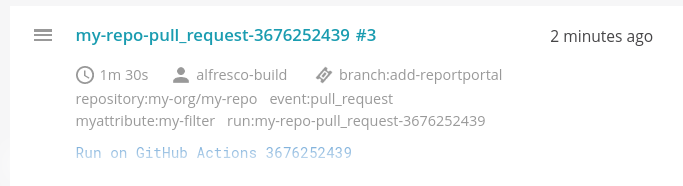
This will give the following sample output on the GH Actions run summary (when used in combination with follow-up action reportportal-summarize documented in the next section):
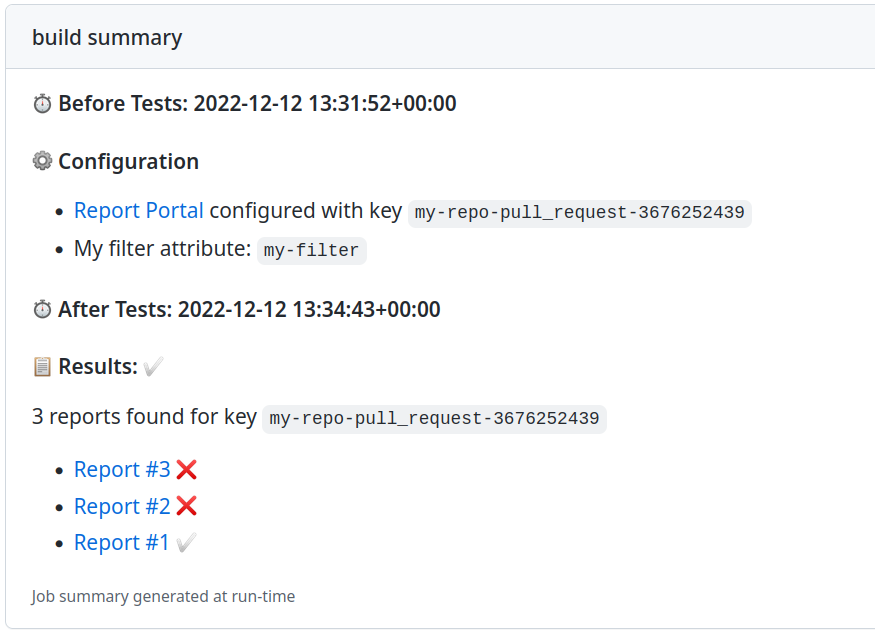
reportportal-summarize
Used in combination with reportportal-prepare.
Adds a message to the steps summary when Report Portal usage is detected. The message contains links to the workflow Report Portal launches.
Sample usage (as follow-up of above sample):
    - name: Summarize Report Portal
      uses: Alfresco/alfresco-build-tools/.github/actions/reportportal-summarize@v18.28.3
      id: rp-summarize
      with:
        tests-outcome: ${{ steps.run-tests.outcome }}
        rp-launch-key: ${{ steps.rp-prepare.outputs.key }}
        rp-url: ${{ env.RP_URL }}
        rp-project: ${{ env.RP_PROJECT }}

    - name: Exit on failure
      if: steps.run-tests.outcome != 'success'
      shell: bash
      run: |
        echo "::error title=run-tests::Tests failed: re-throwing on error."
        exit 1
This will give the following sample output on the GH Actions run summary (when used in combination with the sample workflow documented in the previous section):
The equivalent output “teams-message” (using standard Markdown format) is available for Teams messages.
resolve-preview-name
Resolve preview name based on the PR number and run number:
      - uses: Alfresco/alfresco-build-tools/.github/actions/resolve-preview-name@v18.28.3
        id: resolve-preview-name
      - run: |
          echo ${{ steps.resolve-preview-name.outputs.preview-name }}
s3-upload
Uploads a local directory of artifacts to an S3 bucket, or copies artifacts from one S3 location to another. The caller is responsible for preparing the deploy directory with the artifacts before invoking this action.
      - uses: Alfresco/alfresco-build-tools/.github/actions/s3-upload@v18.28.3
        with:
          aws-region: ${{ vars.AWS_REGION }}
          aws-role-arn: ${{ secrets.AWS_ROLE_ARN }}
          source: ./deploy_dir  # optional, default: "" (falls back to deploy-dir, default ./deploy_dir); a local path or an s3:// URI
          destination: s3://${{ vars.AWS_S3_BUCKET }}/enterprise/MyProject/MyArtifact/${{ env.RELEASE_VERSION }}
          role-duration-seconds: 3600  # optional, default: 3600
To copy artifacts between S3 locations instead of uploading from a local directory, set source to an s3:// URI:
      - uses: Alfresco/alfresco-build-tools/.github/actions/s3-upload@v18.28.3
        with:
          aws-region: ${{ vars.AWS_REGION }}
          aws-role-arn: ${{ secrets.AWS_ROLE_ARN }}
          source: s3://staging-bucket/enterprise/MyProject/MyArtifact/${{ env.RELEASE_VERSION }}
          copy-props: none  # optional, default: none
          destination: s3://${{ vars.AWS_S3_BUCKET }}/enterprise/MyProject/MyArtifact/${{ env.RELEASE_VERSION }}
deploy-dir is deprecated in favor of source, and s3-bucket/s3-path are deprecated in favor of destination; the old inputs still work as a fallback when the new ones are not set.
send-teams-notification
Sends a teams notification with a pre-defined payload.
      uses: Alfresco/alfresco-build-tools/.github/actions/send-teams-notification@v18.28.3
      with:
        webhook-url: ${{ secrets.MSTEAMS_WEBHOOK }}
The above webhook URL is a mandatory parameter. Make sure to Create Incoming Webhooks before using this action. Add the webhook URL as a secret at the repo level.
If the status input is not filled, it will be computed based on the status of completed steps in currently running workflow. The workflow permissions will require “actions: read” in this case.
Sample of a SUCCESS notification on a push event.
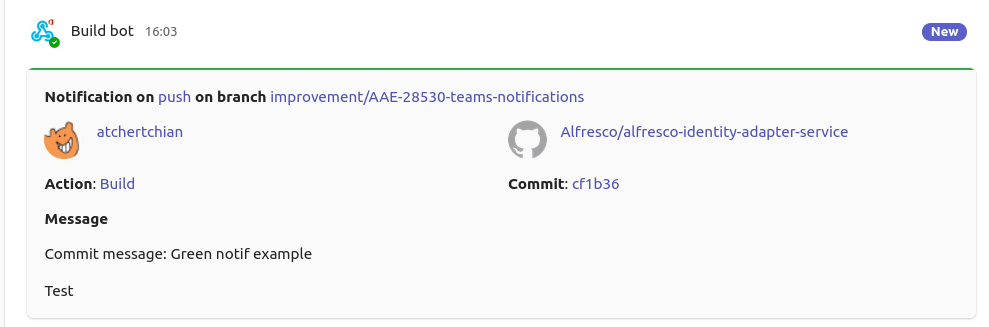
Sample of a SUCCESS notification on a pull_request event.
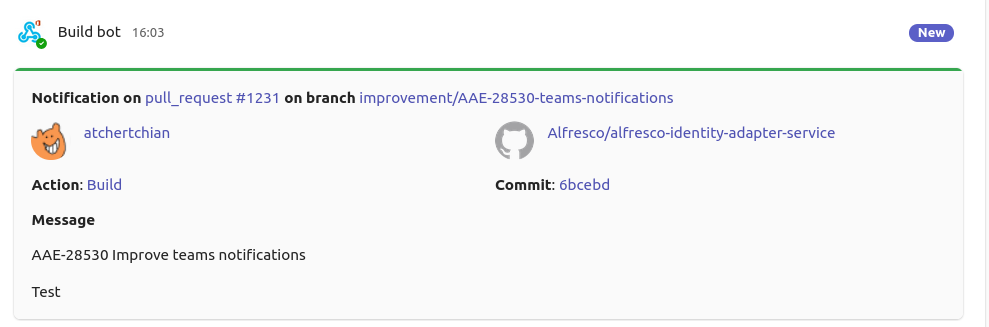
Sample of a FAILURE notification on a push event.
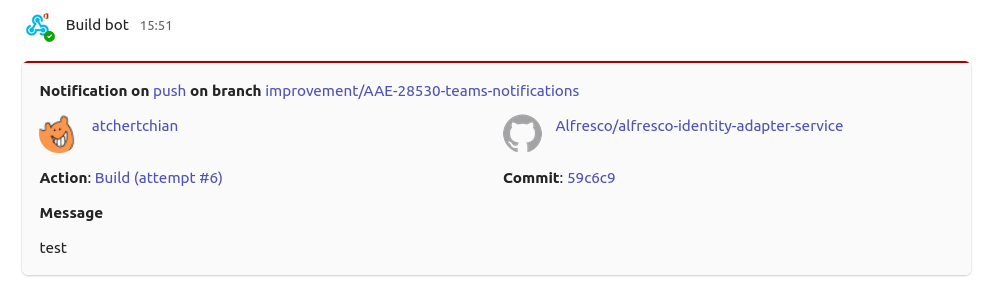
Mentions
Teams notifications can include mentions of both users and Teams tags. The action supports two types of mentions via optional inputs:
-
mention-users: comma-separated list of users to mention in format “display nameemail” -
mention-tags: comma-separated list of Teams tags to mention in format “tag nametag id”
The mentionable entities defined via the aforementioned properties need to be referenced via the <at>name</at> syntax in the message body.
Sample usage with mentions:
      uses: Alfresco/alfresco-build-tools/.github/actions/send-teams-notification@v18.28.3
      with:
        webhook-url: ${{ secrets.MSTEAMS_WEBHOOK }}
        message: "<at>John Doe</at>, <at>Jane Doe</at>, <at>Security Champions</at>, please review the failure logs."
        mention-users: "John Doe|john.doe@example.com,Jane Doe|jane.doe@example.com"
        mention-tags: "Security Champions|MjY5OTQ0YzItODc4OS00YTRkLTk4N2UtMDZkYTEyNDE2Nm=="
        append: true
⚠️ IMPORTANT: when using mentions in Teams notifications, ensure that:
- all mentioned users and tags exist and are active in the target channel
- email addresses and tag IDs are correct
- all mention-users and mention-tags must appear in the message body text at least once
Any error in the mention configuration will cause the entire message to fail to send, as the Teams API is very strict with mentions.
To get the necessary data for mentions:
- For users: use their display name and email address in the format
Display Name|email@domain.com - For tags: use a PowerAutomate flow with the “List all tags for a team” action:
- Create a new “Instant Cloud Flow”, selecting the “Manually trigger a flow” option
- Add the “List all tags for a team” action
- Run the flow using the “Test” button
- Go to “Flow Runs” and click on the latest run
- Look for the raw outputs of the “List all tags for a team” action
- Tag IDs are shown as base-64 encoded strings in the “id” property
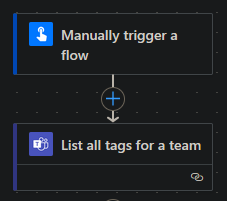
Custom card content
Beyond the standard card, callers can extend it with their own Adaptive Card content via two optional inputs (both default to an empty array, so existing usages are unaffected):
card-actions: JSON array of Adaptive Card actions rendered as buttons at the bottom of the cardcard-extra-body: JSON array of Adaptive Card body elements (e.g. aFactSetor a monospaceTextBlock) appended after the message
Sample usage with custom buttons and body elements:
      uses: Alfresco/alfresco-build-tools/.github/actions/send-teams-notification@v18.28.3
      with:
        webhook-url: ${{ secrets.MSTEAMS_WEBHOOK }}
        title: "⛩️ Performance test failed"
        status: failure
        card-actions: >-
          [{"type":"Action.OpenUrl","title":"Create Jira bug","url":"https://jira.example.com/create"},
           {"type":"Action.OpenUrl","title":"View pipeline run","url":"${{ env.BUILD_WEB_URL }}"}]
        card-extra-body: >-
          [{"type":"FactSet","facts":[{"title":"Cluster","value":"my-env"}]},
           {"type":"TextBlock","fontType":"Monospace","wrap":true,"text":"...log tail..."}]
setup-checkov
Set up a specific version of Checkov and add it to the PATH.
      - uses: Alfresco/alfresco-build-tools/.github/actions/setup-checkov@v18.28.3
        with:
          version: '3.2.0'
setup-docker
When using a runner which is not a default hosted runner, all the default tooling may not be available, including Docker. Use setup-docker action to install and configure Docker Engine for the current runner. Required for the ARM64 GitHub Action Hosted runners.
      - name: Setup Docker Engine
        uses: Alfresco/alfresco-build-tools/.github/actions/setup-docker@v18.28.3
setup-fluxcli
Set up a specific version of Flux CLI and add it to the PATH.
      - uses: Alfresco/alfresco-build-tools/.github/actions/setup-fluxcli@v18.28.3
        with:
          version: '2.6.4'
setup-github-release-binary
setup-github-release-binary Allows the installation of a generic binary from GitHub Releases and add it to the PATH. See setup-helm-docs for a usage example.
Optionally provide checksums to verify the downloaded binary integrity. Can be a single string or a JSON object mapping OS_ARCH to checksums (e.g., {“linux_amd64”: “abc…”, “darwin_arm64”: “def…”}). When not provided, no checksum verification is performed but warning is emitted to ease configuration.
    - uses: Alfresco/alfresco-build-tools/.github/actions/setup-github-release-binary@v18.28.3
      with:
        repo: org/repo-name
        version: '1.2.3'
        # Each repository can have a different URL template for the binary.
        #url_template: 'v${VERSION}/${NAME}-v${VERSION}-${OS}-${ARCH}.tar.gz'
        # Alternate argument to test the binary
        #test_args: '--version'
        # Alternate mappings for ARCH
        #x86_64_arch: 'amd64'
        #aarch64_arch: 'arm64'
        # Alternatively, override the ARCH environment variable, but it will break multi-arch support.
        #env:
        #  ARCH: "amd64" # or "arm64"
        # checksums: |
        #   {
        #     "linux_amd64":"b8ca6b54dccbff5c6f4f819a36905b56c2",
        #     "linux_arm64":"d41d8cd98f00b204eec4b0d6f8f6f1427b"
        #   }
setup-helm-docs
Install the helm-docs binary from GitHub Releases and add it to the PATH.
      - uses: Alfresco/alfresco-build-tools/.github/actions/setup-helm-docs@v18.28.3
        with:
          version: "1.14.2"
setup-java-build
setup-java-build performs the setup of required build tools such as Java and Maven. The Maven settings file can either be placed in the repository’s root folder as .ci.settings.xml, or in a different location. In the latter case, the full path to the settings file should be provided via the maven-settings input parameter. If the Maven settings file is not provided at all, then a default settings file will be installed. The default settings file requires the following environment variables to be appropriately set with valid credentials: MAVEN_USERNAME and MAVEN_PASSWORD.
The local Maven repository is cached. The structure of the cache key is composed of following parts: {runner.os}-{prefix}-{hash(**/pom.xml)}. By default, prefix is set to maven, e.g. Linux-maven-38c8f5cb0598db15f3c14d1bdfa491de24645c5965fcdbbc8eb1849282247fd2. Optionally, the custom cache-key-prefix can be provided. It will override the default one. It can be useful to handle multiple maven caches within the same repository.
      - name: Setup Java build
        uses: Alfresco/alfresco-build-tools/.github/actions/setup-java-build@v18.28.3
        with:
          java-version: "17" # optional
          java-distribution: "temurin" # optional
          maven-settings: ".ci.settings.xml" # optional
          cache-key-prefix: "alternate-maven" # optional
setup-jx-release-version
Set up a specific version of jx-release-version and add it to the PATH.
      - uses: Alfresco/alfresco-build-tools/.github/actions/setup-jx-release-version@v18.28.3
        with:
          version: "2.2.3"
setup-kcadm
Set up the kcadm binary from Keycloak distribution and add it to the PATH.
      - uses: Alfresco/alfresco-build-tools/.github/actions/setup-kcadm@v18.28.3
        with:
          version: "24.0.5"
setup-kind
Spin up a local kubernetes cluster with an ingress controller (ingress-nginx or Traefik), exposing http/https ports.
By default ingress-nginx is installed, but you can easily switch to Traefik by setting traefik-enabled to true and cloud-provider-kind to true for LoadBalancer support.
      - name: Setup cluster
        uses: Alfresco/alfresco-build-tools/.github/actions/setup-kind@v18.28.3
        with:
          # Specify kind and k8s version to use.
          # see https://github.com/kubernetes-sigs/kind/releases
          kind-version: v0.31.0
          kind-node-image: kindest/node:v1.33.7@sha256:d26ef333bdb2cbe9862a0f7c3803ecc7b4303d8cea8e814b481b09949d353040

          # Choose ingress controller:
          # - To install ingress-nginx (default): optionally set `ingress-nginx-ref` to a tag.
          # - To install Traefik instead: set `traefik-enabled: 'true'`
          #   and optionally provide `traefik-chart-version`.

          # Examples:
          # ingress-nginx (default):
          ingress-nginx-ref: controller-v1.8.2

          # Traefik (requires cloud-provider-kind):
          traefik-enabled: 'true'
          traefik-chart-version: 41.0.2 # optional
          cloud-provider-kind-enabled: 'true'
          cloud-provider-kind-version: 0.10.0 # optional

          # optional, default is 90s
          ingress-creation-timeout: 120s

          # Use your own config file provided as YAML string.
          kind-config-path: /path/to/file.yml

          # Enable deploying Metrics server with KinD
          metrics: true

          # Enable creating docker registry secret using given name,
          # reusing credentials already configured in the local docker daemon.
          import-docker-credentials-secret-name: regcred
setup-kubepug
Install the Kubernetes preupgrade checker and add it to the PATH.
      - uses: Alfresco/alfresco-build-tools/.github/actions/setup-kubepug@v18.28.3
        with:
          version: "1.3.2"
setup-maven
Install a specific Apache Maven version from the Apache archive and add it to the PATH. The distribution is cached across runs (via actions/cache, keyed on the OS, architecture and requested version) to avoid re-downloading it every time. Set cache-key-suffix to disambiguate parallel jobs that would otherwise share the same key, or to force a fresh cache.
      - uses: Alfresco/alfresco-build-tools/.github/actions/setup-maven@v18.28.3
        with:
          version: "3.9.9"
          # cache-key-suffix: "my-suffix" # optional
setup-pysemver
Install the pysemver binary from GitHub Releases and add it to the PATH.
      - uses: Alfresco/alfresco-build-tools/.github/actions/setup-pysemver@v18.28.3
        with:
          version: "2.13.0"
setup-rancher-cli
Install the Rancher CLI binary from GitHub Releases and add it to the PATH.
      - uses: Alfresco/alfresco-build-tools/.github/actions/setup-rancher-cli@v18.28.3
        with:
          version: "2.9.2"
setup-terraform-docs
Install the terraform-docs binary from GitHub Releases and add it to the PATH.
      - uses: Alfresco/alfresco-build-tools/.github/actions/setup-terraform-docs@v18.28.3
        with:
          version: "0.16.0"
For more details on terraform related workflows, see the dedicated terraform section.
setup-updatebot
Install the updatebot binary from GitHub Releases and add it to the PATH.
      - uses: Alfresco/alfresco-build-tools/.github/actions/setup-updatebot@v18.28.3
        with:
          version: "1.1.60"
setup-updatecli
Install the updatecli binary from GitHub Releases and add it to the PATH.
      - uses: Alfresco/alfresco-build-tools/.github/actions/setup-updatecli@v18.28.3
        with:
          version: "0.93.0" # omit to use the default version provided by the action
sonar-scan-on-built-project
Run Sonar Scanner to load JaCoCo report on SonarCloud.
      - uses: Alfresco/alfresco-build-tools/.github/actions/sonar-scan-on-built-project@v18.28.3
        with:
          sonar-token: ${{ secrets.SONAR_TOKEN }}
          sonar-project: 'example-project-key'
          sonar-coverage-jacoco-xmlReportPaths: '**/custom/path/to/jacoco.xml'
          m2-uploaded-group-path: 'com/example/group'
          target-folder-artifacts-pattern: 'target*'
          m2-current-build-artifacts-pattern: 'm2*'
          maven-username: ${{ secrets.MAVEN_USERNAME }}
          maven-password: ${{ secrets.MAVEN_PASSWORD }}
          ghcr-username: ${{ secrets.GITHUB_USERNAME }}
          ghcr-password: ${{ secrets.GITHUB_TOKEN }}
          maven-version: '3.8.8'
          java-version: '21'
sonar-scanner
Run Sonar Scanner to load JaCoCo report on SonarCloud.
      - uses: Alfresco/alfresco-build-tools/.github/actions/sonar-scanner@v18.28.3
        with:
          sonar-token: ${{ secrets.SONAR_TOKEN }}
          aggregate-report-path: ${{ github.workspace }}/coverage-folder/target/site/jacoco-aggregate/jacoco.xml
          project-key: sonar-project-key
sonar-host-url and sonar-organization are optional inputs. If not provided, the default values will be used.
update-deployment-runtime-versions
For more information, see update-deployment-runtime-versions.
update-pom-to-next-pre-release
For more information see update-pom-to-next-pre-release.
update-project-base-tag
Used to update a base tag in the release descriptor. It will add or update the entry release.baseTag.$PROJECT with the value specified in the input tag.
      - uses: Alfresco/alfresco-build-tools/.github/actions/update-project-base-tag@v18.28.3
        with:
          release-descriptor: release.yaml
          project: activiti
          tag: ${{ env.ALPHA_VERSION }}
validate-maven-versions
Validates Maven dependency graph versions to ensure all target includes artifacts versions align
      - uses: Alfresco/alfresco-build-tools/.github/actions/validate-maven-versions@v18.28.3
        with:
          maven-username: ${{ secrets.NEXUS_USERNAME }}
          maven-password: ${{ secrets.NEXUS_PASSWORD }}
          m2-settings-xml: settings.xml
veracode
Runs Veracode Source Clear Scan
To add custom maven execution instructions, for skipping test modules etc., use custom_maven_command scan directive in srcclr.yml file of the scanned repository.
When monitoring multiple versions of the same project in Veracode, optional input srcclr-project-ext can be used to direct scan results to a specific Veracode project instead of the default one. For example: ACS_EXT_MASTER Veracode application has an Alfresco/alfresco-enterprise-repo agent-based scans linked to itself through a Veracode project named Alfresco/alfresco-enterprise-repo, in order to include recent agent-based scan results in the promoted scan. When supporting an older version of ACS_EXT_MASTER like ACS_EXT_MASTER_7_4, we can set this input value to ‘7.4.N’ on branch “release/7.4.N” of Alfresco/alfresco-enterprise-repo, to direct this branch’s agent-based scan results to a project named Alfresco/alfresco-enterprise-repo/7.4.N instead. If that project doesn’t exist, it will be created automatically. You can then set the default branch for the created project (release/7.4.N) and link it to an application (ACS_EXT_MASTER_7_4) in Veracode. This way, the agent-based scan results will be added in the latest promoted scan of ACS_EXT_MASTER_7_4 Veracode application.
      - uses: Alfresco/alfresco-build-tools/.github/actions/veracode@v18.28.3
        #continue-on-error: true # uncomment this line to prevent the Veracode scan step from failing the whole build
        with:
          srcclr-api-token: ${{ secrets.SRCCLR_API_TOKEN }}
          srcclr-project-ext: '' # optional, allows for directing scan results to Veracode project named: <default project name>/<srcclr-project-ext>
xvfb-record
This action sets up an Xvfb server, runs a specified test command, records the Xvfb session using ffmpeg, and uploads the recording as an artifact.
      - name: Functional tests
        uses: Alfresco/alfresco-build-tools/.github/actions/xvfb-record@v18.28.3
        with:
          test_command: mvn -ntp install -Pftest -DskipInstall
          timeout_minutes: 120 # optional, default is 60
          video_name: "absolute_cinema" # optional
          max_attempts: 3 # optional, default is 1
          video_extension: mp4 # optional, default is mkv
          retry_on: error # optional, comma separated list of outcomes https://github.com/nick-fields/retry?tab=readme-ov-file#retry_on
          retry_wait_seconds: 2 # optional, default is 10
          display_number: 99 # optional, default is 99
Inputs:
Check action.yml for the full list of inputs and their descriptions.
Reusable workflows provided by us
branch-promotion-prs
Automates the creation of pull requests to promote changes from a source branch to multiple target branches. This workflow is useful for promoting changes across different environments (e.g., from develop to staging and production branches).
Authentication can be provided either via a GitHub App (recommended) or a token/PAT. When github-app-client-id (input) and github-app-private-key (secret) are set, the workflow mints a short-lived GitHub App token and commits as the App’s bot identity; otherwise it falls back to the gh-token secret.
Using GitHub App authentication (recommended):
name: Promote to Environment Branches

on:
  push:
    branches:
      - 'develop'  # Source branch to monitor for changes

permissions:
  contents: write  # Required to create pull requests

jobs:
  promote:
    uses: Alfresco/alfresco-build-tools/.github/workflows/branch-promotion-prs.yml@v18.28.3
    with:
      source-branch: 'develop' # default branch to promote from
      target-branches: '["staging", "production"]' # JSON array of branches to promote to
      pr-title-template: 'Promote to {0} environment' # optional
      pr-body-template: 'This PR promotes the latest changes from {1} to the {0} environment.' # optional
      draft-pr: false
      reviewers: 'user1,user2,user3' # optional - comma or newline-separated list of GitHub usernames
      team-reviewers: 'team1,team2' # optional - comma or newline-separated list of GitHub teams
      github-app-client-id: ${{ vars.GH_APP_MY_APP_CLIENT_ID }} # GitHub App client ID
    secrets:
      github-app-private-key: ${{ secrets.GH_APP_MY_APP_PRIVATE_KEY }} # GitHub App private key (PEM)
Using a token/PAT (fallback):
  promote:
    uses: Alfresco/alfresco-build-tools/.github/workflows/branch-promotion-prs.yml@v18.28.3
    with:
      target-branches: '["staging", "production"]'
    secrets:
      gh-token: ${{ secrets.BOT_GITHUB_TOKEN }}
helm-publish-new-package-version
Calculates the new alpha version, creates new git tag and publishes the new package to the helm chart repository
  publish:
    uses: Alfresco/alfresco-build-tools/.github/workflows/helm-publish-new-package-version.yml@v18.28.3
    needs: build
    with:
      next-version: 7.4.0
      chart-dir: charts/common
      helm-charts-repo: Activiti/activiti-cloud-helm-charts
      helm-charts-repo-branch: gh-pages
    secrets: inherit
repository-mirror
Force-pushes specific branches from source repositories to separate target (mirror) repositories, keeping them in sync.
The list of repositories and branches to mirror is declared in a configuration file in the caller repository (e.g. .github/mirrored-repos.yml). Each entry supports two forms.
Multiple branches (no rename) — use the branches list; the branch name is preserved as-is in the target repository:
repos:
  - source: Alfresco/alfresco-community-repo
    target: Alfresco/alfresco-community-repo-25.N
    branches:
      - release/25.N
      - release/25.1
Single branch rename — use the branch key (singular) with a {source, target} mapping to push to a different branch name in the mirror:
repos:
  # rename — push release/25.N as "main" in the target
  - source: Alfresco/alfresco-community-repo
    target: Alfresco/alfresco-community-repo-25.N
    branch:
      source: release/25.N
      target: main
jobs:
  mirror:
    uses: Alfresco/alfresco-build-tools/.github/workflows/reusable-repository-mirror.yml@v18.28.3
    with:
      config-file: .github/mirrored-repos.yml
    secrets:
      bot-token: ${{ secrets.BOT_GITHUB_TOKEN }}
To add a new mirror, append an entry to your configuration file following one of the forms above. The bot-token secret must have read access to the source repositories and write access to the target repositories.
stale-pr-cleanup
Marks pull requests as stale after a configurable inactivity period and closes them automatically if they remain inactive.
name: Stale PR Cleanup

on:
  schedule:
    - cron: "0 2 * * *"

jobs:
  stale:
    uses: Alfresco/alfresco-build-tools/.github/workflows/stale-pr-cleanup.yml@v18.28.3
    with:
      stale-days: 60 # optional, default: 60
      close-after-stale-days: 30 # optional, default: 30
      exempt-pr-labels: "keep-open,dependencies" # optional, default: "keep-open,dependencies"
      operations-per-run: 100 # optional, default: 100
      debug-only: false # optional, default: false
reusable-release
Automates the release process by determining the version bump type (major, minor, or patch) from PR labels, calculating the new version following Semantic Versioning (SemVer) rules, optionally executing a custom release command that can modify files with changes automatically committed back to the repository, and finally tagging the new version and creating a GitHub Release.
name: Release

on:
  pull_request:
    types:
    - closed
  workflow_dispatch:
    inputs:
      release_type:
        description: "Release type"
        required: true
        type: choice
        options:
          - patch
          - minor
          - major

jobs:
    release:
        name: Release
        if: github.event.pull_request.merged == true || github.event_name == 'workflow_dispatch'
        uses: Alfresco/alfresco-build-tools/.github/workflows/reusable-release.yml@v18.28.3
        with:
          release_type_override: ${{ inputs.release_type }}
          commit_username: ${{ vars.BOT_GITHUB_USERNAME }}
          commit_email: ${{ vars.BOT_GITHUB_EMAIL }}
          # release_command: ./release.sh # optional, command to run for custom release steps before tagging
          # target_branch: custom-branch # optional, defaults to the default branch
          # node_version: 24 # optional, set to a Node.js version if the release command needs Node.js
        secrets:
          BOT_GITHUB_TOKEN: ${{ secrets.BOT_GITHUB_TOKEN }}
The workflow needs a token with permission to push to target_branch and to create releases. The example above uses the BOT_GITHUB_TOKEN secret, which can be a PAT or the default GITHUB_TOKEN (BOT_GITHUB_TOKEN: ${{ secrets.GITHUB_TOKEN }}) as long as the job grants it contents: write and target_branch allows it to push (note that pushes made with GITHUB_TOKEN do not trigger further workflow runs). Alternatively, authenticate with a GitHub App as described below.
The reusable workflow exposes released-version and current-version outputs. Use needs.<job-id>.outputs.released-version for the bumped release version and needs.<job-id>.outputs.current-version for the version before the bump.
Custom release command
When the release_command input is set, the workflow runs the specified command. This allows for custom release steps to be executed before the version is tagged and the release is created, such as updating version numbers in files, generating changelogs, etc.
Release command has access to the following environment variables:
RELEASE_VERSION: the new version calculatedCURRENT_VERSION: the previous versionCOMMIT_USERNAME: the configured commit username (fromcommit_usernameinput)COMMIT_EMAIL: the configured commit email (fromcommit_emailinput)GH_TOKEN: the authentication token (GitHub App installation token orBOT_GITHUB_TOKEN)TARGET_BRANCH: the branch the release is created from (fromtarget_branchinput)
If the release command needs Node.js (for example to run an npx tool), set the node_version input so the workflow runs actions/setup-node before executing the command; the step is skipped when the input is left empty.
Changes produced by the release command are committed back to target_branch as a verified/signed commit (via verified-bot-commit), so this workflow can be used on branches protected by rulesets that require signed commits.
Authentication with a GitHub App
Instead of BOT_GITHUB_TOKEN, set the github_app_client_id input (the App client id, not sensitive) and provide the GH_APP_PRIVATE_KEY secret. The workflow then mints a short-lived installation token (via actions/create-github-app-token) scoped to the current repository and uses it for checkout, the commit back and the release creation. When github_app_client_id is set it takes precedence over BOT_GITHUB_TOKEN.
jobs:
    release:
        name: Release
        if: github.event.pull_request.merged == true || github.event_name == 'workflow_dispatch'
        uses: Alfresco/alfresco-build-tools/.github/workflows/reusable-release.yml@v18.28.3
        with:
          release_type_override: ${{ inputs.release_type }}
          github_app_client_id: ${{ vars.GH_APP_CLIENT_ID }}
          # github_app_workflows_permission: true # optional, set to true if the release command modifies workflow files
        secrets:
          GH_APP_PRIVATE_KEY: ${{ secrets.GH_APP_PRIVATE_KEY }}
If the release command commits changes to files under .github/workflows/, also set github_app_workflows_permission: true so the minted token is granted the workflows: write permission; the GitHub API otherwise rejects commits that modify workflow files. The GitHub App must have the Workflows permission enabled in its configuration for this to be grantable.
The commit_username / commit_email inputs are kept for backward compatibility and are only forwarded to the release command as the env vars above; the pushed commit author is now determined by the authentication token (PAT or GitHub App), not by these values.
terraform
See the dedicated terraform for more information on the reusable workflows provided by us.
GitHub Agentic Workflows provided by us
General Introduction
GitHub Agentic Workflows are a new type of workflow that leverage the GitHub Copilot engine to perform complex tasks that require reasoning, decision-making, and interaction with external APIs. These workflows are designed to automate tasks that are difficult to achieve with traditional workflows, such as code reviews, security analysis, and project management.
For Providers
To update and release a new version of an Agentic Workflow, you can simply edit the md workflow file in this repository, run:
gh extension upgrade aw && gh aw compile
and commit the changes.
For Consumers
To install an Agentic Workflow, you can use the gh aw add command with the URL of the workflow file in this repository. For example:
gh aw add https://github.com/Alfresco/alfresco-build-tools/blob/main/.github/workflows/supply-chain-review.md --force
To keep the workflow up to date with the latest improvements and fixes, you can use the gh aw update command:
gh aw update
Additionally, a secret should be provided in line with the AI Engine used by the workflow. For example, for GitHub Copilot, the COPILOT_GITHUB_TOKEN secret should be set with a token that has Copilot Requests permissions.
supply-chain-review
A GitHub Agentic Workflow that performs automated supply chain security analysis on pull requests containing dependency changes. Triggered via the /supply-chain-review slash command in PR comments, it analyzes dependencies against multiple threat categories including known vulnerabilities, typosquatting, maintainer takeover, install script abuse, version anomalies, and project health.
The workflow uses the GitHub Copilot engine with access to OSV.dev, OpenSSF Scorecard, npm registry, and Maven Central APIs to produce a structured risk assessment report posted as a PR comment.
Requirements:
- The repository must have the
COPILOT_GITHUB_TOKENsecret appropriately set, withCopilot Requestspermissions
Setup:
Optionally, use the github-upsert-comment action to automatically prompt contributors to run the review when dependency files change.
Example caller workflow for PR instructions:
name: Supply Chain Review - PR Instructions

on:
  pull_request:
    types: [opened, reopened, synchronize]
    paths:
      - "package.json"
      - "package-lock.json"
      - "**/package.json"
      - "**/package-lock.json"
      - "pom.xml"
      - "**/pom.xml"

jobs:
  instructions:
    runs-on: ubuntu-latest
    permissions:
      pull-requests: write
    steps:
      - uses: Alfresco/alfresco-build-tools/.github/actions/github-upsert-comment@v18.28.3
        with:
          comment-identifier: supply-chain-review-instructions
          comment-body: |
            ## Supply Chain Security

            This PR modifies dependencies. To run a security analysis, comment:

            ```
            /supply-chain-review
            ```

            The analysis will check for vulnerabilities, typosquatting, maintainer takeovers, and other supply chain risks.
Cookbook
This section contains a list of recipes and common patterns organized by desired outcome.
Conditional job/step depending on PR labels
A possible approach to have a dynamic behaviour in pull_request triggered workflows, is to check the currently assigned labels. Please be aware that labels should be already applied before opening/updating a PR in order be effective.
if: contains(github.event.pull_request.labels.*.name, 'label-name')
Serialize pull request builds
When a workflow requires access an external shared resource, or it takes a non trivial amount of time to run, it may be desirable to prevent concurrent builds of the same pr/branch by using concurrency as a top-level keyword:
name: my-workflow
on:
  pull_request:
    branches:
      - develop
  push:
    branches:
      - develop
concurrency:
  group: ${{ github.workflow }}-${{ github.head_ref || github.ref_name || github.run_id }}
  cancel-in-progress: false
The github.workflow is a reference to the workflow id, so that different workflows are part of different groups and doesn’t cancel each other.
The github.head_ref is available only when workflow is triggered by pull_request event, while github.ref_name when pushing branches and tags. The github.run_id is just a fallback to not queue the workflow run when both variables are empty (when event is not related to a specific ref).
More docs on using concurrency
Expiring tags for quay.io images
It may be desirable to push docker images from branches to test them before merge, but we should avoid polluting the image registry with these tags.
With quay.io, this can be easily achieved by setting the following label on the docker image like:
quay.expires-after=2w
For the supported time formats, please check the RedHat official documentation.
An example step which computes the label could be:
- id: vars
  name: Compute Docker vars
  run: |
    if [[ "${{ github.ref_name }}" == "main" ]]; then
      echo "image_tag=latest" >> $GITHUB_OUTPUT
      echo "image_labels=" >> $GITHUB_OUTPUT
    else
      echo "image_tag=${GITHUB_REF_NAME//\//-}" >> $GITHUB_OUTPUT
      echo "image_labels=quay.expires-after=2w" >> $GITHUB_OUTPUT
    fi
Then, if you are using the docker/build-push-action action:
- name: Build and push
  uses: docker/build-push-action@v5
  with:
    push: ${{ github.actor != 'dependabot[bot]' }} # avoid pushing on dependabot pr
    tags: |
      quay.io/${{ env.IMAGE_REGISTRY_NAMESPACE }}/${{ env.IMAGE_REPOSITORY }}:${{ steps.vars.outputs.image_tag }}
    platforms: linux/amd64,linux/arm64/v8
    labels: ${{ steps.vars.outputs.image_labels }}
    provenance: false # required due to https://issues.redhat.com/browse/PROJQUAY-5013
Alternatively, if you are building Docker images as part of a Maven lifecycle using the docker-maven-plugin:
- name: "Build"
  env:
    MAVEN_OPTS: "-Ddocker.labels.${{ steps.vars.outputs.image_labels }}"
  run: mvn -B -V package -DskipTests
Running a dependabot PR workflow only when pull request is approved
For helper actions on validation/merge of dependabot PRs following good practices, please check github-require-secrets and github-trigger-approved-pr.
When a workflow requires secrets to function properly, you either need to provide dependabot-specific secrets (doubling the effort to maintain these secrets) or gracefully downgrade the workflow to allow it to complete successfully even when secrets are not available.
An alternative approach could be to trigger the workflow for dependabot PRs only after a contributor approves the PR.
Maintainers still have to carefully review updates to prevent exposing secrets to potentially malicious updates.
Using the pr-review-check reusable workflow
We provide a reusable workflow that automates PR review checks for Dependabot PRs and manual validation triggers. This workflow enables auto-merge on approval and validates PRs when specific labels are applied.
name: "PR Review check"

on:
  pull_request_review:
    types:
      - submitted
  pull_request:
    branches:
      - develop
    types:
      - labeled

jobs:
  check:
    uses: Alfresco/alfresco-build-tools/.github/workflows/pr-review-check.yml@v18.28.3
    with:
      trigger-labels: '["CI", "preview", "skip-tests"]'
      milestone-name: 'Validating'
    secrets:
      BOT_GITHUB_TOKEN: ${{ secrets.BOT_GITHUB_TOKEN }}
Sample main workflow being triggered by milestone event
name: Build

on:
  push:
   branches:
      - main
  pull_request:
    branches:
      - main
    types:
      - opened
      - reopened
      - synchronize
      - milestoned

jobs:
  pre-checks:
    runs-on: ubuntu-latest
    steps:
      - name: Check dependabot/fork build
        # Require secrets if triggered by dependabot, or if this is a fork PR not being validated through milestone setup
        if: github.secret_source == 'Dependabot' || (github.secret_source == 'None' && github.event.action != 'milestoned')
        uses: Alfresco/alfresco-build-tools/.github/actions/github-require-secrets@v18.28.3
        with:
          dependabot-error-message: "This PR requires additional validation, please set the milestone to 'Validating' or ask a reviewer to approve it."
          none-error-message: "This PR requires additional validation, please set the milestone to 'Validating'."

  build:
    runs-on: ubuntu-latest
    needs: pre-checks
    steps:
      - name: Build
        run: echo "Building..."
Inputs:
trigger-labels: JSON array of labels that should trigger validation when applied to a PRmilestone-name: Milestone to set on the PR when validation is triggered
Secrets:
BOT_GITHUB_TOKEN: Token used to enable auto-merge, comment on the PR, and change PR milestone/label. This cannot be the defaultGITHUB_TOKENif auto-merge is set, otherwise the merge of the PR will not trigger a build.
Behavior:
- When a PR review is submitted with “approved” state and the PR creator is
dependabot[bot], the workflow sets the specified milestone and enables auto-merge - When a PR is labeled with one of the specified trigger labels, the workflow sets the milestone to trigger validation workflows
- Requires appropriate permissions:
contents: read,pull-requests: write,issues: write
Manual job condition approach
Here is an example workflow with a job condition to achieve this manually:
on:
  pull_request:
    branches:
      - main
  pull_request_review:
    types: [submitted]
  push:
    branches:
      - main

jobs:
  build:
    # Trigger a run when approving a dependabot PR or as usual
    if: >-
      (github.event.review.state == 'approved' && github.event.pull_request.user.login == 'dependabot[bot]') ||
      (github.actor != 'dependabot[bot]' && github.event_name != 'pull_request_review')
Automating github-actions updates
To keep the workflows and actions up to date, you can use the dependabot feature of GitHub.
Add a .github/dependabot.yml file with the following content:
version: 2
updates:
  - package-ecosystem: "github-actions"
    directories:
      - "/"
      - "/.github/actions/*"
    schedule:
      interval: "monthly"
    groups:
      github-actions:
        patterns:
          - "*"
This will create a single monthly PR with all the github-actions updates to be reviewed and merged.
Known issues
realpath not available under macosx
When running pre-commit locally you may get failures with the following error:
realpath: command not found
This is because macOS lacks support for that, and it can be fixed with:
brew install coreutils